How to give Claude Code and Cursor your brand, not just your design system
Coding agents read your design system and instruction files, but a landing page also needs your voice, product claims, imagery and logo rules. Keep code conventions in the repo, fetch the current brand for each task, and check the page before it merges.
TL;DR
Keep components, tokens and shipped logo/font files in the repository. Fetch current voice, product claims, imagery and logo guidance when a task needs them. Tell the coding agent when to retrieve that context, then inspect the rendered page and its sources before merging.
What a design system leaves out
A design system supplies components and styling. A landing page also needs product claims, voice and approved imagery.
| From the repository | From current brand guidance |
|---|---|
| Components, spacing and tokens | Voice, terms and campaign message |
| Image components and crops | Approved photos and image direction |
| Imported logo/font files | Allowed use, variants and clear space |
| Interface patterns | Product facts and claim sources |
Google Labs’ DESIGN.md describes visual identity to coding agents. It does not supply your product’s claim evidence.
What Claude Code and Cursor read
| Loads | Claude Code | Cursor |
|---|---|---|
| Each session | CLAUDE.md; AGENTS.md if no CLAUDE.md; unscoped rules | AGENTS.md; Always Apply rules |
| Matching files | Rules with paths; subfolder CLAUDE.md | Rules with globs; subfolder AGENTS.md |
| When relevant | Skills | Skills; Apply Intelligently rules |
| On a call | MCP tools | MCP tools |
Claude Code’s memory guide recommends under 200 lines per CLAUDE.md; imports still consume context. Cursor recommends rules under 500 lines and does not inline a referenced file’s contents; a Claude @path import does.
Both treat instructions as guidance, so check results. AGENTS.md also serves other coding tools; import it from CLAUDE.md with @AGENTS.md when both exist. Skills and Cursor skills load when relevant, but a copied brand guide still needs updating.
Keep code conventions in the repo
Keep these with code review:
- Components, accessibility rules and composition patterns.
- Tokens and their meanings.
- Original logos, licensed fonts and icons the build ships.
- Run/preview instructions.
Change the description with the token in the same pull request.
Fetch what changes with the brand
Voice, terms, supported claims and campaign direction also serve work outside this repository. Copying them into every rules file creates another update to make when the brand changes.
Use this distinction: if a change belongs in this repository’s pull request, keep it here; if it belongs to the shared brand, retrieve it for the task.
Write checkable rules and a usable voice guide rather than adjectives.
Connect a maintained brand
Rainbrand maintains shared identity, guidance and assets. Connect Claude Code or Cursor, confirm the account and brand, then request a Brief for the page.
The agent builds with your stack. In the Mercury Codex run, it downloaded the supplied Arcadia fonts and original logo for a payment-confirmation concept.
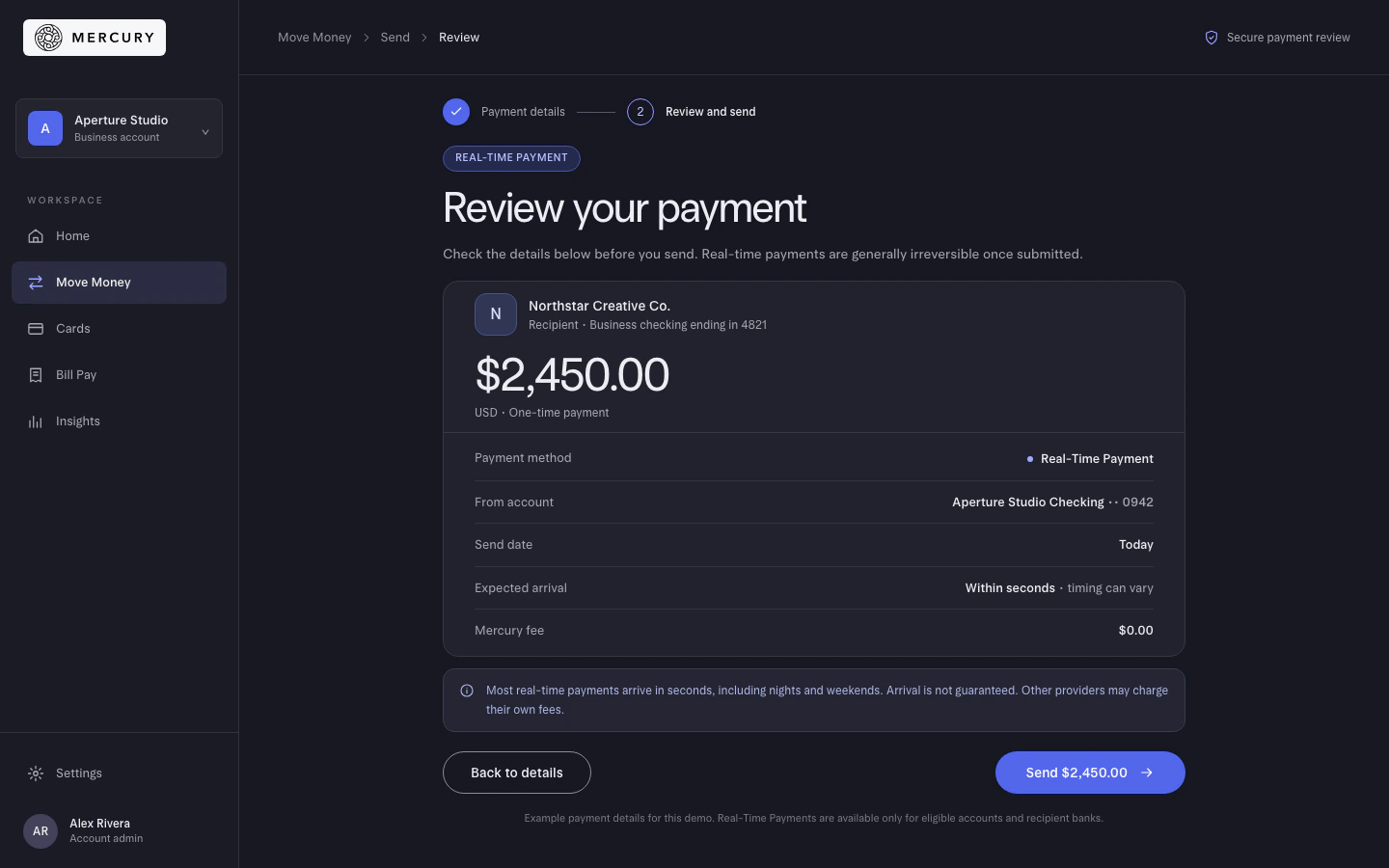
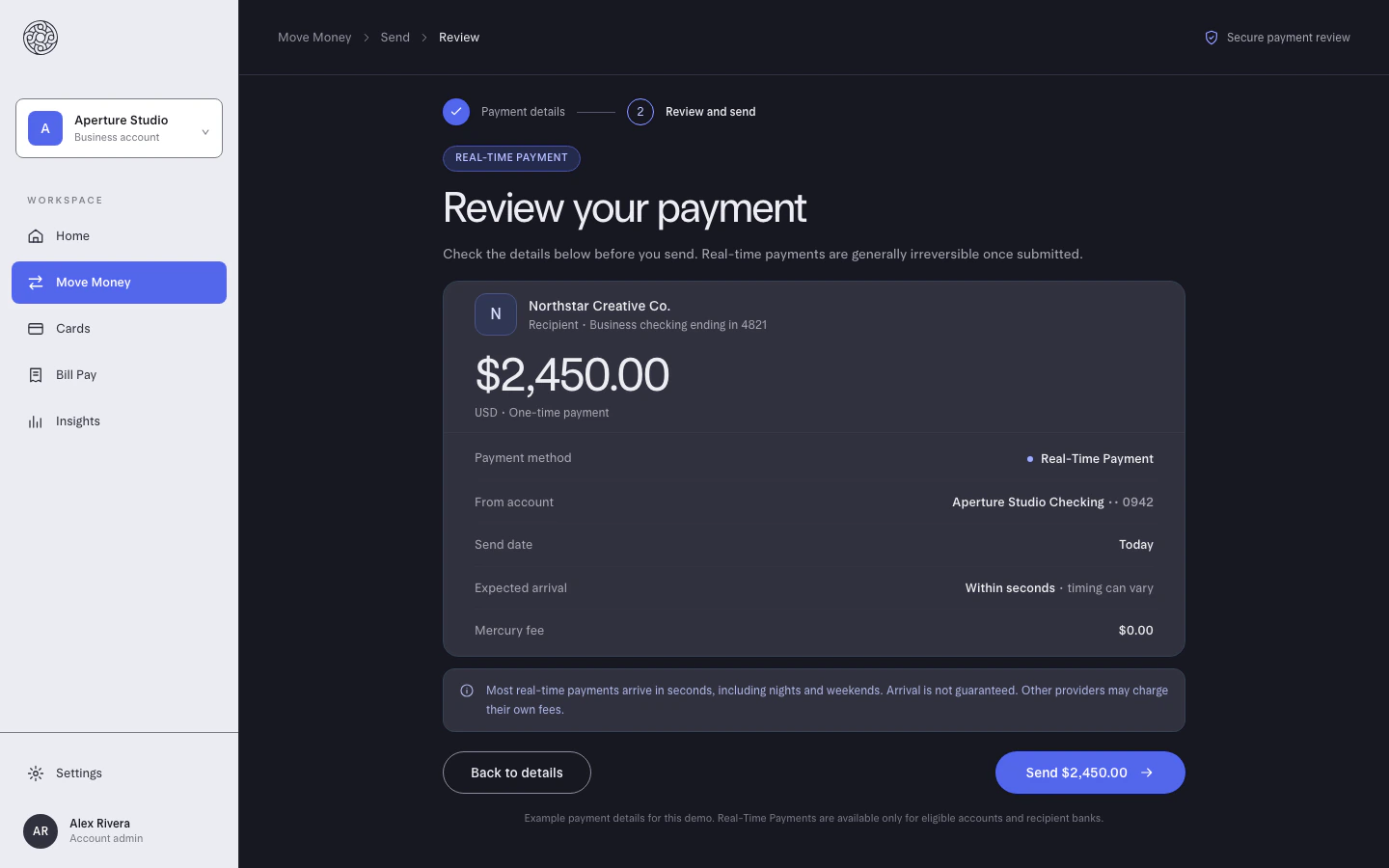
The first colour check failed the card background. Codex corrected it; logo findings also required judgment, including one conflicting with the Brief and a later spacing finding that appeared wrong. The final image passed the four submitted checks. The saved run retains those findings.
For shared setup, commit the server address, not a credential:
| Client | Project config |
|---|---|
| Claude Code | .mcp.json; remote server needs "type": "http" and its URL |
| Cursor | .cursor/mcp.json; URL entry |
The URL is https://mcp.rainbrand.com/mcp. Each person signs in with their own Rainbrand account; add the brand to the intended team. Claude Code asks for approval before first use; Cursor documents its MCP setup.
After a reviewed, applied brand edit, new Briefs use current guidance. Shipped files still change through a pull request. Scripts and services can use the API.
Tell the agent when to fetch it
Put short retrieval instructions in AGENTS.md:
- Request the selected brand’s Brief before writing copy or choosing images.
- Build with repository components and tokens.
- Use only supported claims; leave a TODO for missing evidence.
- Import original logos instead of redrawing them.
- Preview desktop/mobile and report unresolved findings.
To scope those instructions, use Claude .claude/rules/ with paths, or Cursor .cursor/rules/ with globs. A matching rule may load after a page starts; short always-loaded retrieval instructions avoid that delay.
Request a Rainbrand Brief for [your brand] for the page described in the attached task. Build it with this project’s components and tokens, using the Brief’s guidance for the copy, its selected images and the original logo file. Keep the audience and call to action from the task, and make only claims supported by the supplied product sources. Preview it at desktop and mobile widths, request Reviews of the finished captures with the expected copy, then show me the page and unresolved findings.Check the page before it merges
| Check | Inspect |
|---|---|
| Copy | Exact names, sourced claims, voice and call to action |
| Visuals | Original logo, approved imagery, tokens/fonts and clear space |
| Automated | Hard-coded value lint, forbidden-term checks and DESIGN.md lint when used |
| Rendered page | Desktop/mobile layout, clipping and contrast |
Use Rainbrand Review on finished captures with expected copy and constraints. Revise confirmed findings and review updated captures; image checking covers that loop.
Try the web-page workflow on your next real page. Keep source/code checks alongside the brand findings.
More in AI tools
All 8 AI tools articles3 min read
How to use ChatGPT for marketing and stay on brand
Use ChatGPT to research, draft, analyse and make campaign assets from real sources. Keep projects for campaign work, fetch current brand context through a connection, and check the deliverables before publication.
3 min read
How to use Claude for marketing without losing your brand
Give Claude a real marketing job, the sources behind it and current brand guidance. Use Projects, skills and connectors for their different jobs, then inspect the finished work before it goes out.
4 min read
How to share approved brand assets across AI agents
Agents redraw logos and pick the wrong product photos when they can’t reach the real files. What to share, the ways to share it, and how to keep one approved set that every agent can call.
