Rainbrand · create_briefReady
- Brand
- Teenage Engineering
- Task
- A six-slide field system™ deck at 1600 × 900
- Returns
- Guidance and selected assets
1 Brief
Use casesLaunch deck
Your agent plans and builds the deck in Paper from a Brief's guidance and assets, and every slide stays editable.
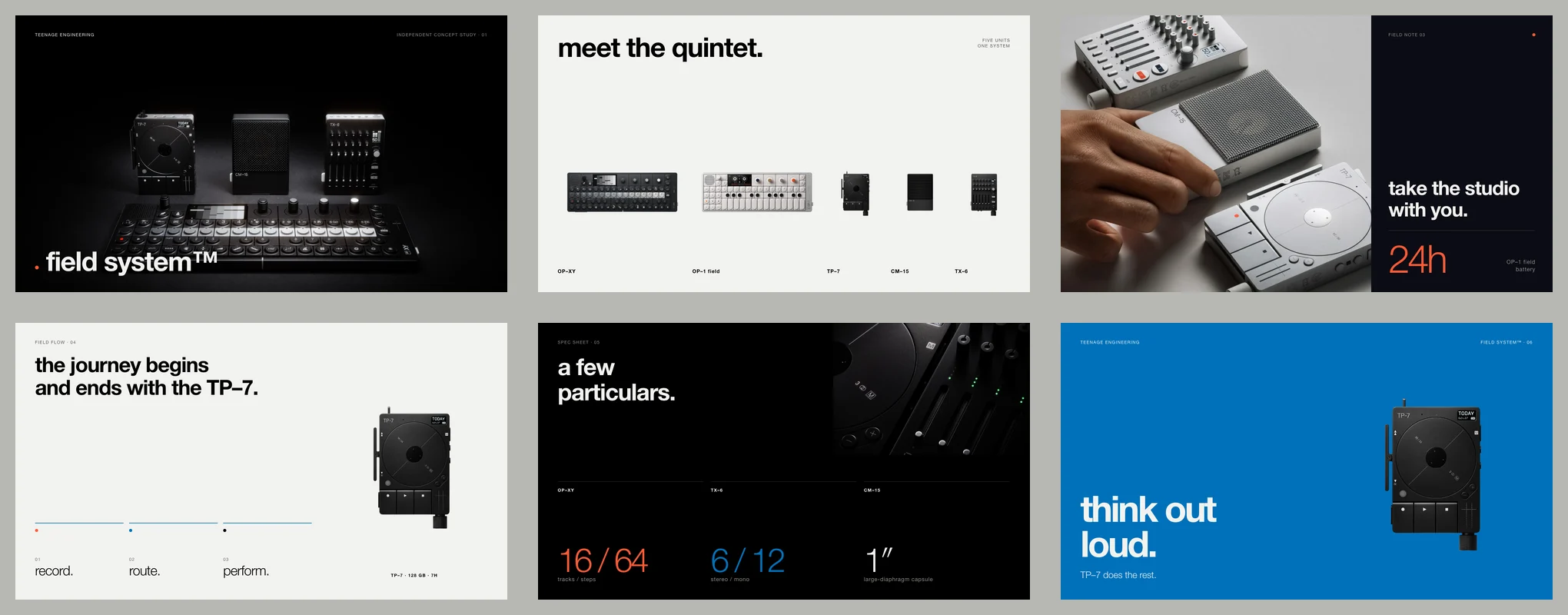
An agent can lay out a deck, but without the brand it guesses at the fonts, colours, photography and how the slides should read. Rainbrand gives it a Brief with the guidance and assets for this deck, and Paper keeps every slide editable.
How it's made
With your agent
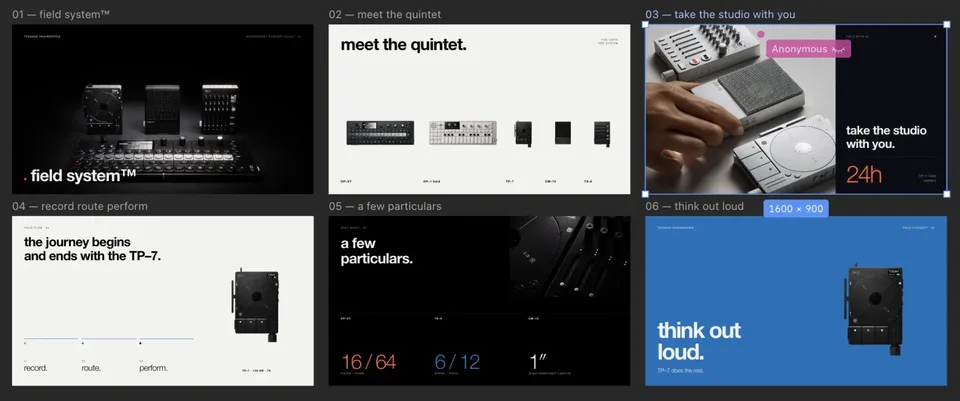
Connect Rainbrand and Paper to the same agent. It requests a Brief, builds the slides in your open Paper file, reviews each one and exports the deck.
Read the guide (opens in a new tab)Make a six-slide deck in Paper for teenage.engineering about field system™, at 1600 × 900. Review every slide, then export PNGs and one PDF.
Claudecreate_brieffield system deck
Claudeget_briefWaiting until it's ready
The Brief is ready. I'll plan the story and copy from its guidance, inspect the selected assets and lay out the slides as artboards in your open Paper file.
The six artboards are in your Paper file. I checked each slide's spacing, type, contrast and clipping in screenshots, then exported six PNGs and one PDF.
Illustrated with the Teenage Engineering deck from the launch deck guide, built in Paper from the brand guidance and assets Rainbrand supplied.
How companies integrate Rainbrand into their agents and products.
All customer stories“We use Rainbrand to fetch each customer’s brand and generate accurate, on-brand creative for their ads. It means we don’t have to reinvent that part of the stack ourselves.”
“We pushed Rainbrand to production as our default image solution.”
“I have the ideas, but turning them into great design was always a struggle. Rainbrand makes me feel like the best designer in the world, and I don’t think I’ll need to hire one for the small stuff again.”
Connect Rainbrand and Paper to your agent, add a brand and describe the deck you want.
Open the Rainbrand plugin and add it.
Open Rainbrand plugin (opens in a new tab)Connect your Rainbrand account when asked. It works in ChatGPT and in Codex.
An agent connected to both Rainbrand and Paper through MCP, with Paper Desktop open on the file you want to use. You also need a ready brand, or sources such as a website to create one. Set up both connections.
The Brief selects the brand guidance and assets that matter for this deck. Your agent plans the story, copy, typography and layouts from them, then applies them to the artboards. How Briefs work.
Add permitted official photography. In the guide's example, the Brand Library held only Teenage Engineering's logo, so the agent used photos from its official press and product sources and inspected every one. Ask your agent to say when it substitutes an asset or a font.
Yes. For now, when your agent applies a custom font through Paper's MCP, it should quote the complete family name, then use Paper's inspection tools to confirm the resolved family matches before exporting. See the guide.
Your agent reviews each slide against the Brief through Paper screenshots, fixing spacing, typography, contrast, alignment and clipping, then exports PNGs and one PDF, like the example deck. To check a slide against the brand, export it and request a Review.

Rainbrand builds and maintains shared brand context for your agents and products.





