
Rainbrand vs Adobe GenStudio, Firefly and AEM: which keeps AI content on brand?
Adobe splits this job across GenStudio’s brand checks, custom Firefly models and brand rules in AEM, which outside agents can reach over MCP with the right licence. Rainbrand gives any agent or product a maintained brand to call. Here’s which fits, and how to move agent work from Adobe to Rainbrand.
TL;DR
Use Rainbrand when your team, agency or product makes brand work through agents: it maintains the brand, gives each task the guidance and assets it needs, and reviews the output. Adobe suits production inside Adobe: GenStudio for campaign content, Firefly custom models for trained styles or products, and Adobe Experience Manager (AEM) for assets and brand rules. Move agent work over from the guideline PDF and assets in Adobe.
Which Adobe products do this job
Adobe sells several enterprise products that each do part of this job, now grouped under Adobe CX Enterprise, which replaced Experience Cloud in April 2026:
- GenStudio for Performance Marketing makes, approves and activates ads and emails. Brand validation scores each variant against your brand and platform rules such as Meta’s, and approved work goes to channels including Meta, LinkedIn and Google Campaign Manager 360.
- Firefly custom models are image models trained on your own images, for a product or a style, usable from GenStudio or the Firefly API.
- AEM Assets is Adobe’s digital asset management (DAM) system, with Content Hub as a self-service portal for agencies and partners.
- The AEM governance agent keeps brand rules in Experience Context, imported from a guideline PDF. Adobe says any agent, “Adobe’s or your own”, can query them.
- Adobe for creativity, a Claude connector launched in April 2026, brings more than 50 tools from Photoshop, Firefly, Express and other apps into the chat. Its announcement doesn’t mention brand guidelines or kits.
Adobe’s documentation doesn’t list prices: access to each product, including its server for the Model Context Protocol (MCP), the open standard assistants use to call outside tools, depends on your organisation’s entitlements.
What an outside agent needs in place
Take two requests: your marketer asks Claude for a LinkedIn ad for a product launch, and a developer asks Cursor to build the launch page.
Adobe’s route for those agents runs through the AEM MCP server. It lets Claude, ChatGPT, Cursor and other clients read a brand’s rules, evaluate text, images or pages against them, and search and download AEM assets. Three things have to be in place first:
- AEM as a Cloud Service.
- Adobe’s agents trial or a paid licence for the brand tools.
- A brand set up in Experience Context.
Two limits shape the rest. The brand tools are read-only over MCP, so rules are changed in AEM itself, and each brand is organised around AEM sites, with URL patterns that set which pages its checks cover. GenStudio doesn’t yet have its own MCP server, so Adobe’s strongest route for the LinkedIn ad is to make it in GenStudio, where variants are scored, approved and activated. For paid media at scale, that’s hard to beat.
The same task with Rainbrand
You add a brand from what already defines it, such as a website, brand guide, logos, fonts or images. For the ad, Claude requests a Brief: the voice rules, colours, type, logo file and reference images for that task. It makes the image with its own tools, requests a Review of colour, typography, logo and copy, and fixes what fails. Cursor requests its own Brief for the page from the same brand.
Rainbrand’s Cursor setup page shows that second task for Headphone (1) Pro, from the electronics brand Nothing. The Brief set the canvas colour at #F4F4F4. The first Review failed colour because the photo’s warmer grey showed instead; after a repaint, colour passed.
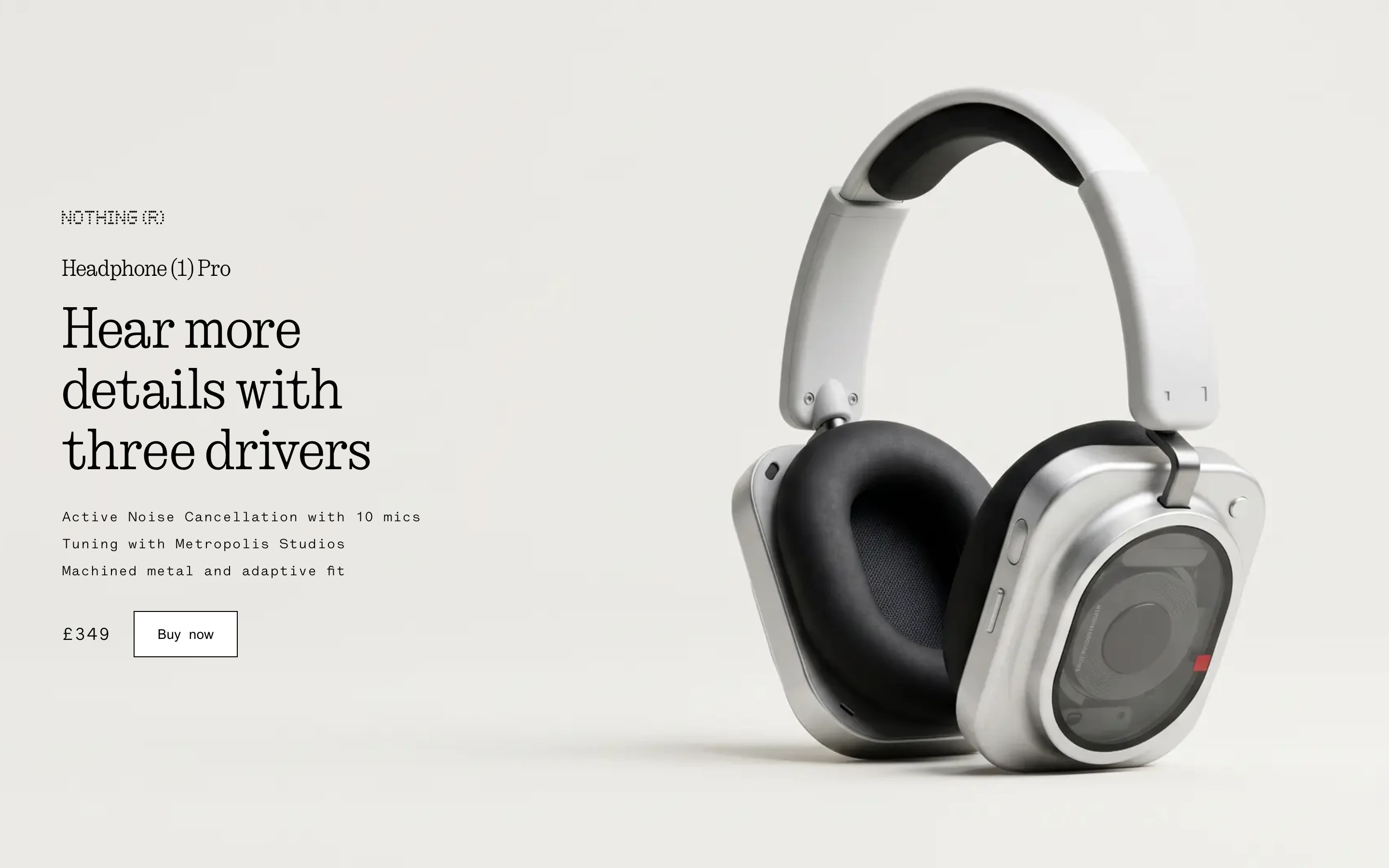
First Review: colour failed
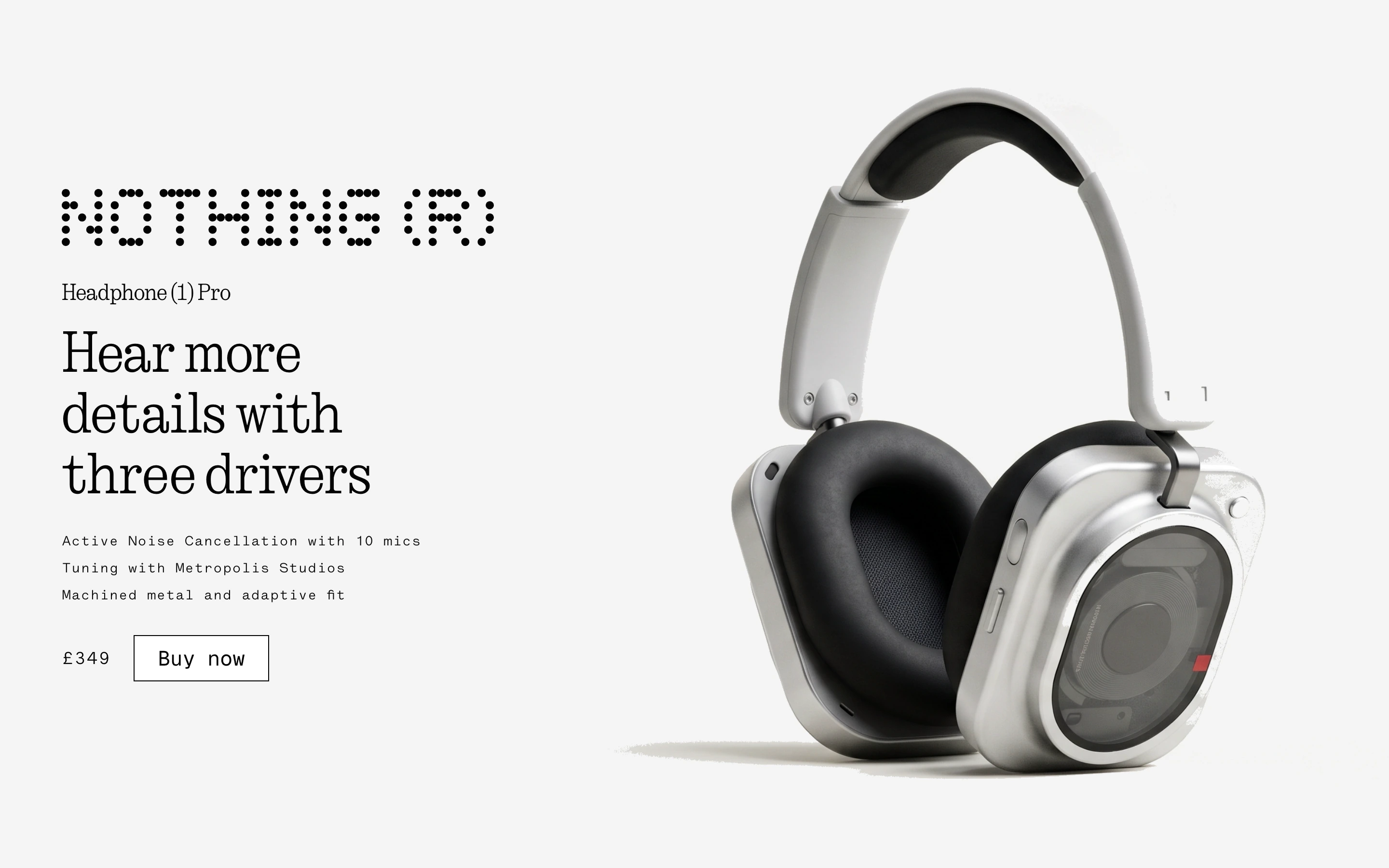
After the repaint: colour passed
| Adobe | Rainbrand | |
|---|---|---|
| Brand setup | In GenStudio (brands) and in AEM (Experience Context) | From your website, guide and files |
| What an outside agent gets | AEM’s brand rules, checks and assets over MCP, with the licence | A Brief: the guidance and assets for the task |
| Checking work | GenStudio scores ads and emails; AEM checks text, images and pages | Review checks output against the brand |
| Approvals and activation | Approval routing and activation to ad channels | Handled by your own tools |
To compare them on your own brand, run a small bakeoff with an agent connected to both:
Make a 1200 × 627 LinkedIn ad for our next product launch twice: once using only AEM’s brand tools and assets, once with a Rainbrand Brief and Review. For each version, list the guidance and assets used and where each came from, what fails our colour, typography, logo and copy rules, and what I’d still fix by hand. Then tell me which fits this work better.Building on Adobe’s APIs
Adobe’s APIs work on an organisation’s own Adobe environment. Firefly Services can generate with a custom model by its ID, and the GenStudio Experience API reads approved experiences, though Adobe notes it “may experience breaking changes in the next few months”. For one enterprise that runs on Adobe, these are the natural route.
Rainbrand’s API adds and maintains many brands, including your customers’, from a website or files, without an Adobe environment. How to manage your customers’ brands in an AI product covers the design questions.
Moving agent work from Adobe to Rainbrand
- Sign up and connect your agents.
- Start from what Adobe holds: the guideline PDF you imported into AEM and, with the AEM brand tools licensed, the brand context and approved files an agent can read from AEM Assets.
- Add the brand to Rainbrand from those, your website and your font files, and check what it builds.
- Run the bakeoff above with the person who usually makes your LinkedIn ads.
GenStudio’s campaign production, Firefly custom models, AEM’s asset governance and activation to ad channels don’t move; keep Adobe for them if your work needs them. Rainbrand doesn’t sync with GenStudio or AEM, so while both run, a guideline change there needs a matching brand edit, and retired logos and images need removing from both. How to update brand guidelines across all your AI tools covers the routine.
More in Comparisons
All 11 Comparisons articles5 min read
Rainbrand vs Canto: what can your AI agents get from each?
Canto is a DAM that stores, organises and distributes approved files, with its own AI inside the library and an MCP server for product data. Rainbrand maintains a brand that agents call for each task; here is what each gives an agent today, where each fits and how to move agent work from Canto.
6 min read
Rainbrand vs Canva Brand Kit: is a Brand Kit enough for your AI tools?
Canva’s Brand Kit keeps your logos, colours, fonts and voice inside Canva, and its AI Connector brings them to designs made from ChatGPT or Claude. Rainbrand gives your agents and products a brand they can call for the task in front of them, wherever the work is made. How they differ, and how to move the brand your agents use from Canva to Rainbrand.
6 min read
Rainbrand vs Jasper: which keeps your brand voice consistent across AI agents?
Jasper’s Brand Voice, Style Guide and Knowledge shape what Jasper writes for marketing teams, and reach Claude and ChatGPT through its MCP server on Business plans. Rainbrand gives the agents you already use your voice, visual identity and approved files for each task, from one maintained brand.
