How to make on-brand video with AI
Video models can animate your product, but they redraw logos, garble labels and drift on colour. Decide what the model generates and what you place from approved files, storyboard every shot, then check stills and playback before the video ships.
TL;DR
Storyboard what the model generates and what you place exactly. Use approved product references for footage, then add original logos, text, end cards and licensed music in the edit. Check representative frames against the brand and watch the whole film with sound before publication.
Decide what the model makes
Generated footage can change exact shapes, lettering and colours. Keep the precise elements separate:
| Generate or animate | Place from approved sources |
|---|---|
| Product/scene motion from references | Original logo and end card |
| Dialogue from an approved script | Exact text, prices and legal lines |
| Lighting and texture | Licensed music and final colour treatment |
Some models render readable text: Google’s Omni Flash guide describes that ability. Still set important names/prices yourself when they must remain exact and editable.
Pick a route for the video
| Route | Best suited to |
|---|---|
| Product footage | Showing the product in motion from official photos |
| UGC-style video | A presenter explaining the product from approved claims |
| Motion graphics | Exact type, logos and images animated in code |
For real events, use real footage/photos. Rainbrand’s Heart Aerospace film used the aircraft developer’s photographs and published first-flight facts:
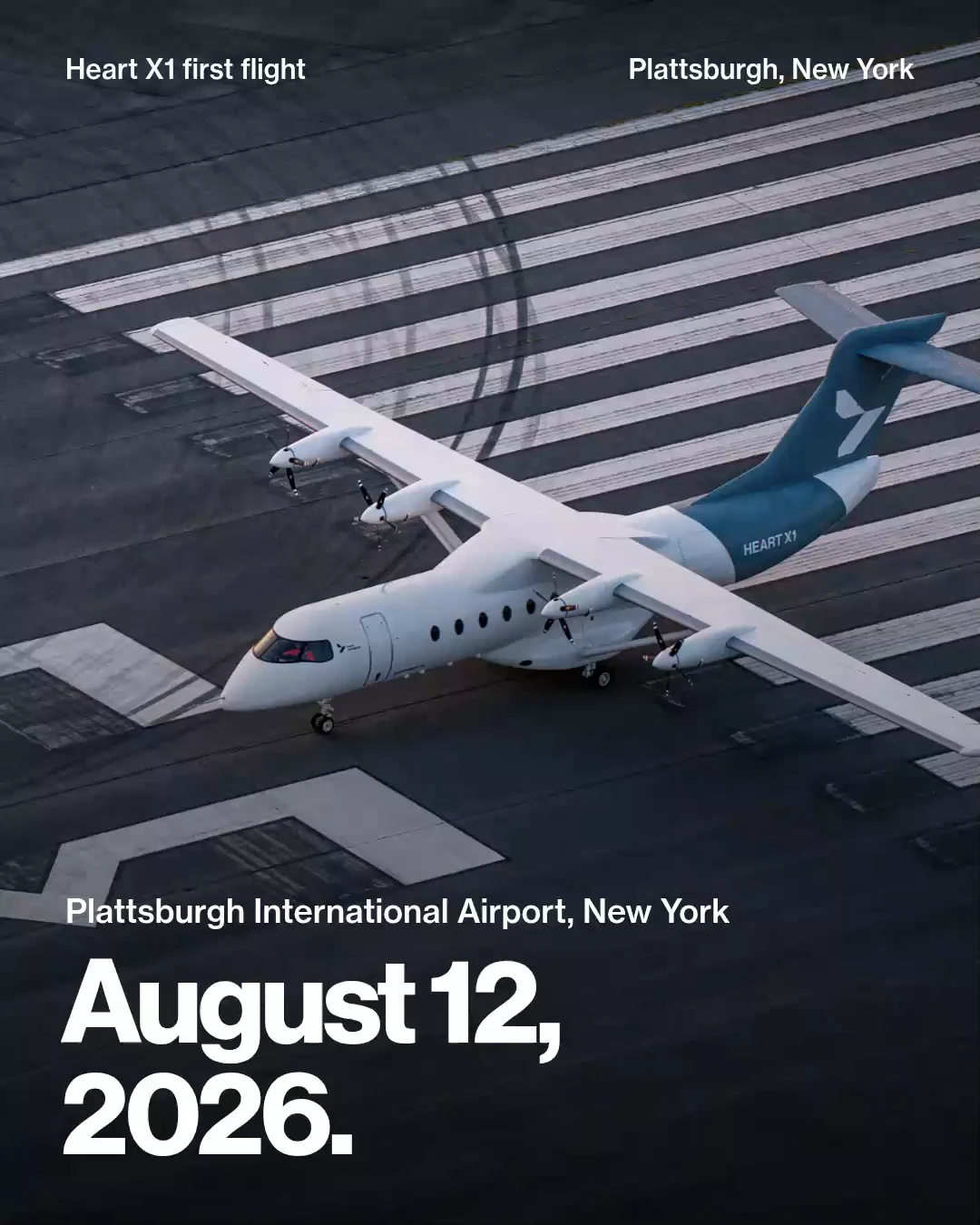
Watch the finished film for the sequence.
Write the storyboard first
Define placement, ratio, duration and whether it plays with sound. For every shot, record:
Start and end:
What the viewer sees:
Original photo, recording or product asset to use:
What the model may generate:
Details that must remain unchanged:
Sound:
Text or artwork to place in the edit:
Omni Flash accepts timings and generates audio by default, so specify both. Assign each image a role—subject, style or first frame—rather than letting the model choose.
Keep real screen recordings and event photographs as supplied assets. Ad creative covers versions for multiple placements.
Keep the product unchanged
- Use official photos from enough angles to show its details.
- Keep each shot to one action.
- Inspect labels, hands, liquids, parts and product count throughout.
- Preview before the final render when supported. Runway offers a 480p Seedance 2.5 preview with 1080p enhancement.
- Edit a failing shot rather than regenerating everything, then recheck it. Model edits can change unintended details too.
Rainbrand maintains the guidance and assets for recurring brand work. Request a Brief describing the video. With a supported AI Gateway model, pass that completed Brief; Rainbrand adds guidance and visual assets to the agent’s prompt/references. The agent still chooses the model settings.
You can use the context with your own video tools. Provide a rendered font specimen for generation and load the actual font when setting text during editing.
Request a Rainbrand Brief for [your brand] for [the video’s subject, placement, aspect ratio and length]. Use the supplied product files, approved copy and storyboard. Show me what each shot will generate and what it will place from original assets, and wait for my approval. If generation is needed, find a suitable video model in the AI Gateway and read its input schema. Keep product details unchanged and leave exact logos and text for the edit. Build those elements from the supplied files and fonts. Export representative finished frames for Review with the expected copy, then watch the whole film with sound. Show me the film and unresolved findings before it is published.Finish the brand in the edit
| Element | Finish |
|---|---|
| Logo/end card | Place original artwork with allowed colour and clear space |
| Text | Set the approved script in actual fonts at phone-readable sizes |
| Colour | Use exact values on flat graphics; grade footage as a series |
| Voice | Check delivery and product-name pronunciation |
| Music | Confirm original/licensed use, including generated music’s terms |
Rainbrand’s AI Gateway also supports speech. Voice rules should guide the script.
Titles and end cards can be built as motion graphics using real fonts and artwork, then reused.
Keep UGC-style video honest
Do not present a generated character as a real customer. The FTC testimonial rule covers materially misrepresenting whether a person exists or used the product; its announcement explicitly includes AI fake reviews.
A presenter can explain supported product facts; first-person customer experiences need actual customers. YouTube disclosure covers realistic synthetic scenes and AI music that is the main focus. Omni Flash’s invisible SynthID watermark is not a visible disclosure label; check platform and market rules.
Check stills, then playback
Before publication, check:
- Frames: original logo, exact script, readable type, palette roles and accurate product details.
- Playback: warped objects, cut timing, text duration, lip sync, pronunciation and mix.
- Release: claim evidence, rights and required labels.
Use Rainbrand Review on exported title/end cards and representative finished frames, with expected copy and constraints.
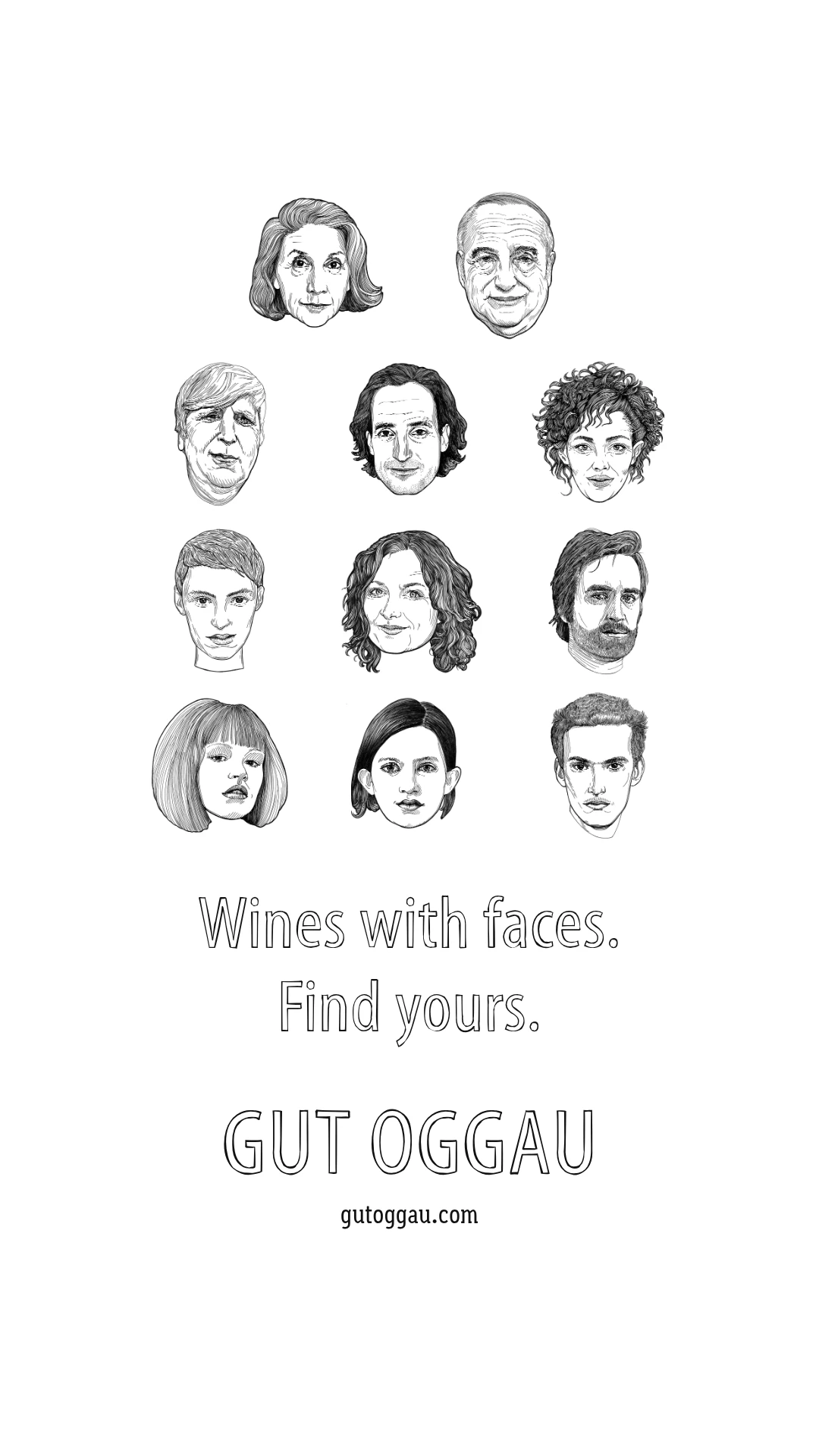
For Gut Oggau, a winery whose labels give each wine a face, Claude made a silent wine-family film. The end-card check failed because wine names were missing:
After Claude added them, the copy check passed:
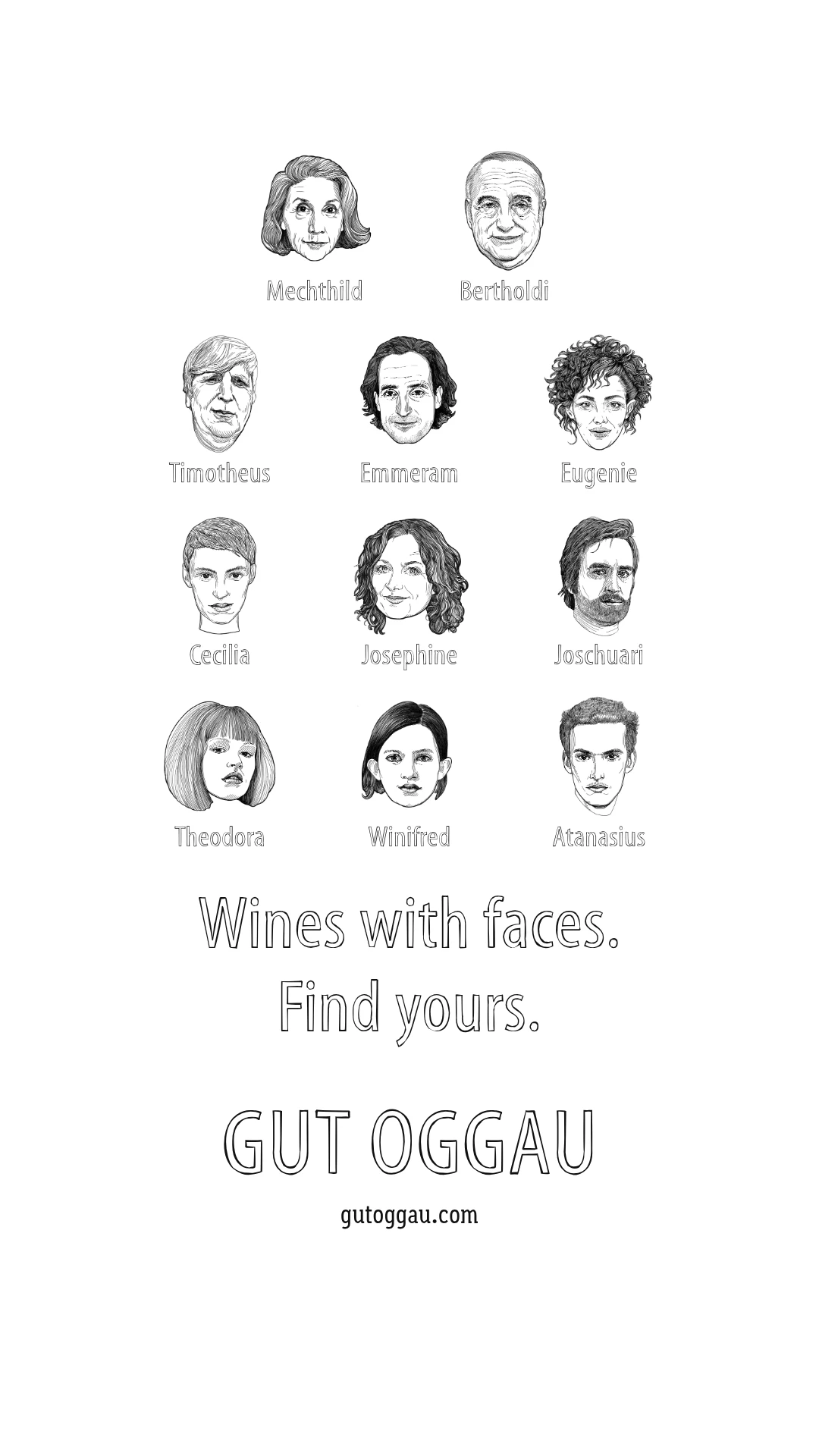
The full example shows the finished film and the correction.
Image checking covers still-frame findings.
Expect the model to change
OpenAI retired Sora 2 and its Videos API on September 24, 2026, without a recommended replacement. Google retired Veo 3.1 Preview on October 22, pointing to Omni Flash or enterprise Veo. Runway warns that model identifiers change.
Keep the storyboard, references and brand apart from model-specific settings. Record each take’s prompt/settings, as AKOOL recommends, and compare one approved storyboard before switching models.
Have the agent list current Gateway models and read their schemas. Use a supported Brief input or supply its guidance/assets yourself.
Start with one product and placement using the product-video workflow.
More in Images and design
All 5 Images and design articles6 min read
Which AI design tools support your existing brand kit?
Canva, Adobe Express, Kittl, Copilot, Gamma, Pitch, Figma and Paper apply different parts of a brand kit. Compare what reaches the design, what agents can use, and what needs attention when the brand changes.
4 min read
How to make on-brand ad creative with AI
Image models make ad variants quickly, and every variant is another chance for a redrawn logo, a changed product or a misspelt offer. Brief what stays fixed and what varies, keep the product true to approved photos, add the logo and words yourself at each platform’s sizes, and check every variant before it runs.
4 min read
How to make on-brand presentations with AI
AI deck tools fall back on a generic look unless you give them more. Put the look in one template the tool can learn from, brief each deck with the brand’s current voice, facts and files, and check the exported slides before they go out.
