How to make on-brand presentations with AI
AI deck tools fall back on a generic look unless you give them more. Put the look in one template the tool can learn from, brief each deck with the brand’s current voice, facts and files, and check the exported slides before they go out.
TL;DR
Give the deck tool an approved template with sample slides, fonts, colours and logo placement. Brief each presentation with current voice, product facts, images and its slide-by-slide story. Build from those inputs, then inspect the exported slides for substitution, clipping, incorrect claims and other brand failures.
Why AI decks look generic
Without examples and exact files, the tool chooses the look itself. Microsoft says Copilot primarily uses sample slides, then template structure, and falls back to the master when samples are insufficient.
What a deck needs from the brand
| In the template | In each deck’s brief |
|---|---|
| Sample layouts and type scale | Audience, goal and story |
| Theme/chart colours and safe pairs | Current product facts and claim sources |
| Logo position and original files | Approved imagery and generation limits |
| Minimum sizes and text roles | Voice, exact copy and required lines |
Make rules checkable: specify font family/weight, allowed colour roles, logo clear space and which product details must remain unchanged. Voice-guide instructions cover the copy.
Build a template AI can learn from
Microsoft’s Copilot guidance recommends:
- Complete sample slides for your actual slide types, with different content densities.
- Proper text/picture/chart placeholders rather than loose boxes.
- Theme fonts and colours instead of one-off formatting.
- A type scale sized for the content; split overflowing slides.
- Usage instructions outside the template rather than hidden slides.
Gamma can import a theme from PowerPoint or Google Slides. Check the detected identity rather than assuming the import is complete.
Where each tool keeps the brand
| Tool | Setup and access that matter |
|---|---|
| Copilot | Premium licence; Brand Kit holds templates, fonts, imagery, voice and terms. Its approved-layout mode restricts creative layout suggestions |
| Gamma | Theme supplies styling; template adds structure. Pro/Ultra instructions can lock slides. Theme changes are deck-specific |
| Pitch | Slide styles set default fonts/colours; templates supply layouts |
| Gemini in Slides | Attach a presentation as style reference and inspect the outline |
| Claude | PowerPoint template; Google Slides sidebar, in beta, can restyle from the title slide. Claude Design, in beta, can build a design system from a deck |
| Paper | Agent edits the design file through MCP |
These are the sources checked in October 2026. Shared-guidance setup covers keeping copies current across tools.
Brief each deck
Before building, specify:
- Audience, goal, slide count, aspect ratio and live/PDF delivery.
- One-line outline, with a template layout for each slide.
- Exact names, numbers and copy with sources.
- Approved images, permitted generation and claims to avoid.
Approve the outline before spending time on layouts.
Connect a maintained brand
Rainbrand supplies the brand context while your deck tool builds the slides. Connect the agent and request a Brief for this deck. Gamma, Pitch and Paper expose MCP tools; Gamma and Pitch also connect in ChatGPT and Claude.
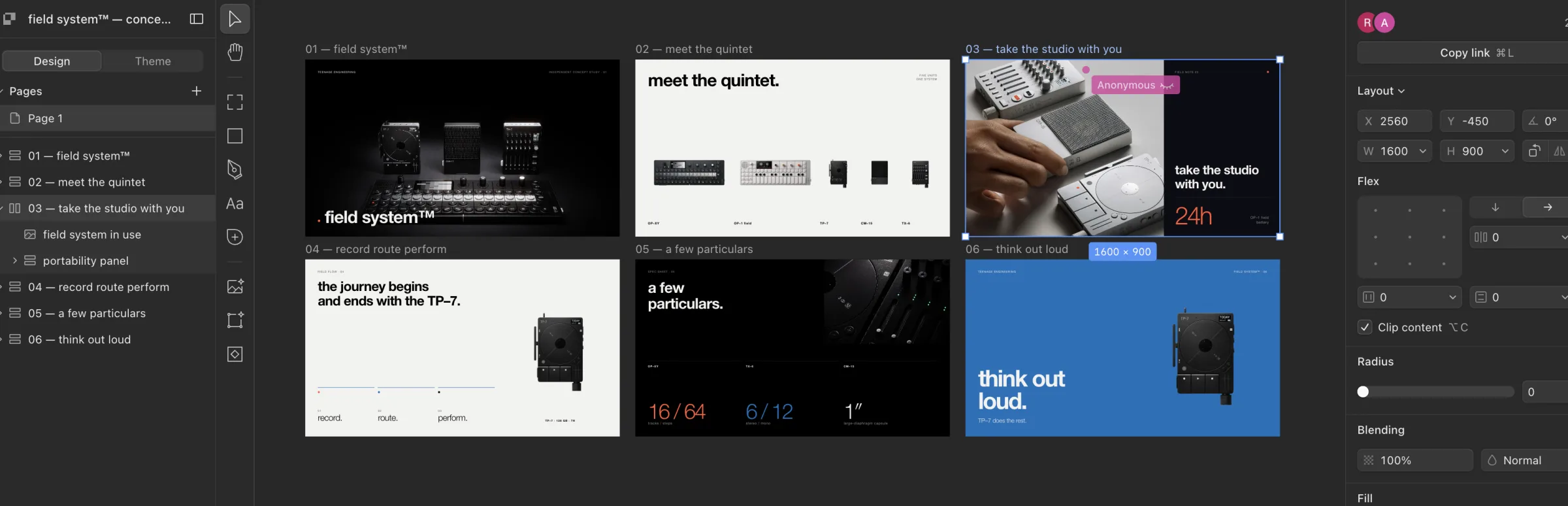
In the Teenage Engineering concept-deck run, an agent used a Rainbrand Brief to plan six editable Paper slides and exported PNG/PDF files. Teenage Engineering makes electronic music instruments.
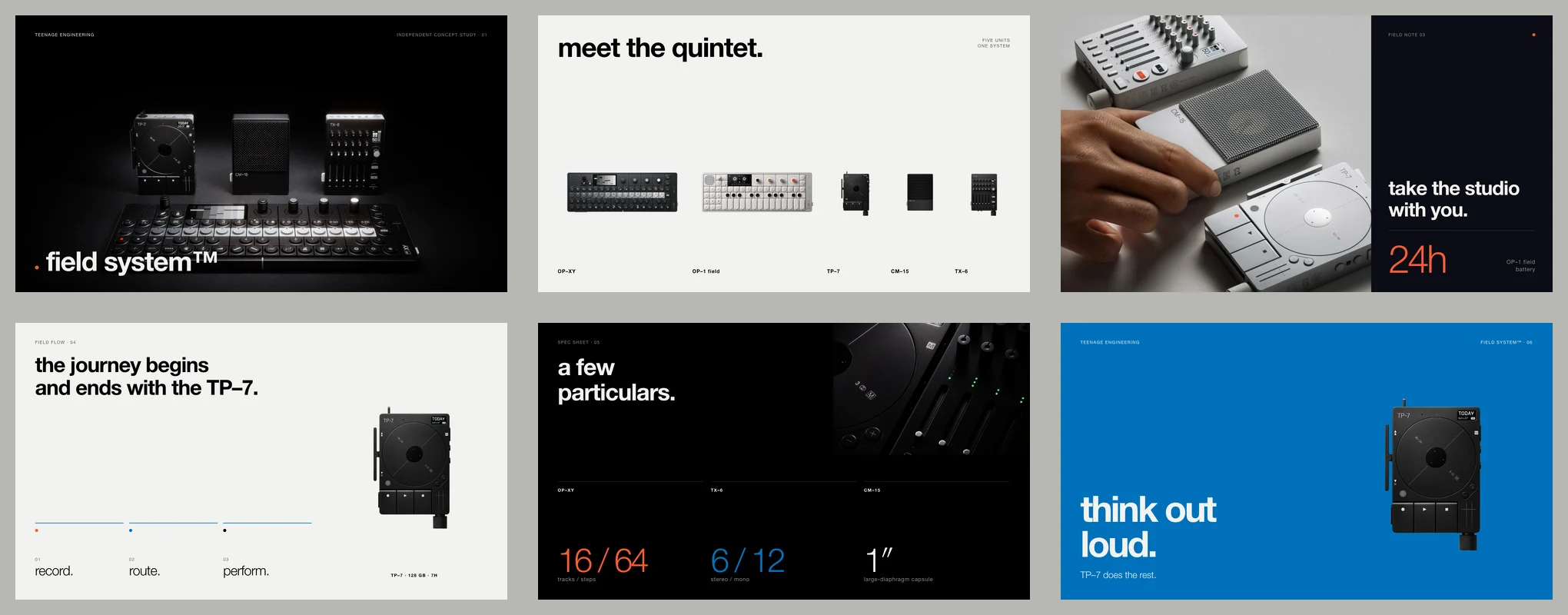
The Library held only the verified logo, so the agent used official press/product photography. Add needed imagery to the Brand Library. Inspect the exported PDF and editable-canvas capture.
An existing deck can also be a source when you add the brand; Rainbrand accepts .pptx alongside other sources.
Request a Rainbrand Brief for [your brand] for [the deck’s subject and audience]. Use our supplied presentation template and source material. Show me a one-line outline for each slide, with the layout and source for any product claim or number, and wait for my approval. Then build it in [your deck tool], using the Brief’s voice rules and selected assets. Use the original logo and product files. Export the slides, inspect each one for font substitution, overflow, clipping and contrast, and request Reviews of the finished images with the expected copy. Show me the export and any unresolved findings before it is shared.After an applied brand edit, new Briefs use the change. Update external PowerPoint templates, Gamma themes and Copilot kits separately.
Images, logos and charts
- Place original logos and approved product images.
- Keep generated imagery free of text that must remain editable.
- Use sourced numbers and theme colours in charts.
- Check fonts in the export. PowerPoint embedding preserves them for other machines only when the font permits embedding.
AI image guidance covers references and exact artwork.
Check the deck before it goes out
Open the audience’s file on another machine and inspect every slide:
| Check | Look for |
|---|---|
| Look | Correct layout, fonts, theme/chart colours and original logo |
| Copy/data | Sourced names/numbers, supported claims and voice |
| Export | Overflow, clipping, missing assets and font substitution |
| Rights | Approved photos, fonts and partner logos |
Rainbrand Review can check exported slide images. Submit the expected copy, revise confirmed findings and review updated exports. Its findings cover only submitted images; keep story, data checks and rehearsal in the release process.
Microsoft’s Brand Kit can also review PowerPoint presentations. Image checking covers the submitted-image routine. Try the launch-deck workflow on one recurring presentation.
More in Images and design
All 5 Images and design articles6 min read
Which AI design tools support your existing brand kit?
Canva, Adobe Express, Kittl, Copilot, Gamma, Pitch, Figma and Paper apply different parts of a brand kit. Compare what reaches the design, what agents can use, and what needs attention when the brand changes.
4 min read
How to make on-brand ad creative with AI
Image models make ad variants quickly, and every variant is another chance for a redrawn logo, a changed product or a misspelt offer. Brief what stays fixed and what varies, keep the product true to approved photos, add the logo and words yourself at each platform’s sizes, and check every variant before it runs.
4 min read
How to make on-brand video with AI
Video models can animate your product, but they redraw logos, garble labels and drift on colour. Decide what the model generates and what you place from approved files, storyboard every shot, then check stills and playback before the video ships.