How to give multiple AI assistants the same brand guidelines
Connect assistants to the same maintained brand, give each task the guidance and files it needs, and track the snapshots that still need replacing.
TL;DR
Have each assistant retrieve guidance and files from the same maintained brand when brand work starts. Keep a short instruction explaining when to fetch it, and remove conflicting saved copies. Tools that need an export should record its version and refresh it after changes. Check what each assistant receives before relying on the setup.
Establish which brand every assistant should use
Rainbrand maintains shared brand context that agents can retrieve and update. To start:
- Create an account and follow the MCP quickstart. MCP, the Model Context Protocol, connects AI applications to tools and data.
- Give the connected agent the brand's website or guide and relevant files. Wait until the brand is ready.
- Connect the other assistants using their current guide: ChatGPT, Claude, Codex, Claude Code or Cursor. Availability depends on the tool and account.
In each connected assistant:
- Ask it to show the connected Rainbrand account.
- List the brands it can access and select the intended ready brand.
- Record that Brand ID, the identifier for the brand, in your setup notes.
Rainbrand adds a brand to the personal account by default. Name the intended team when adding a shared brand, then select that same brand in every assistant.
You can keep a simple inventory:
| Workflow | Brand reference | How it gets context |
|---|---|---|
| Email drafting | Selected team and Brand ID | Requests guidance for the email |
| Landing-page work | The same Brand ID | Requests layout guidance and files |
| A tool that only reads local files | Exported brand version | Reads a folder that needs refreshing |
Give each assistant a rule for retrieving guidance
A Rainbrand Brief contains selected brand guidance in Markdown and files such as logos, fonts and reference images. Save an instruction to request it where the assistant reads instructions for this work, such as project settings or the repository's instruction file. Replace the bracketed name below.
For [brand] work, use the selected Rainbrand brand. Before drafting or making an output, request a Brief describing the task, audience, channel and any exact copy. Wait for it to complete, then use its guidance and relevant files. Follow the current Brief over older saved brand notes and tell me about any conflict. Pass the guidance and files to any tool making the output. If the brand is unclear or retrieval fails, report that before continuing.Check that the assistant follows the instruction, then remove the old brand summary so it cannot conflict with retrieved guidance.
Ask for the context each output needs
Request a Brief for the asset you are about to make. For an email:
Request a Brief for [brand] for the email described in the attached task. Use its audience, required headline and call to action. Check product claims against the linked current sources. Show me the guidance and selected files before drafting.For a page, specify its audience and sections; for an image, include dimensions and exact copy. Inspect the returned product names, permitted claims, voice and identity rules before making the asset.
Pass the original task, guidance and files to the creation tools. Use the actual logo rather than a description to redraw. A renderer needs font files; a model judging lettering may also need specimen images. Rainbrand supplies the context; those tools make the output.
For Son of a Tailor, Codex requested separate Briefs for a cotton-weight guide and a care insert. The clothing brand's guide explained a buying choice; the insert gave an owner practical care wording. Both used the SON icon and supplied typography, with different instructions for the two tasks.
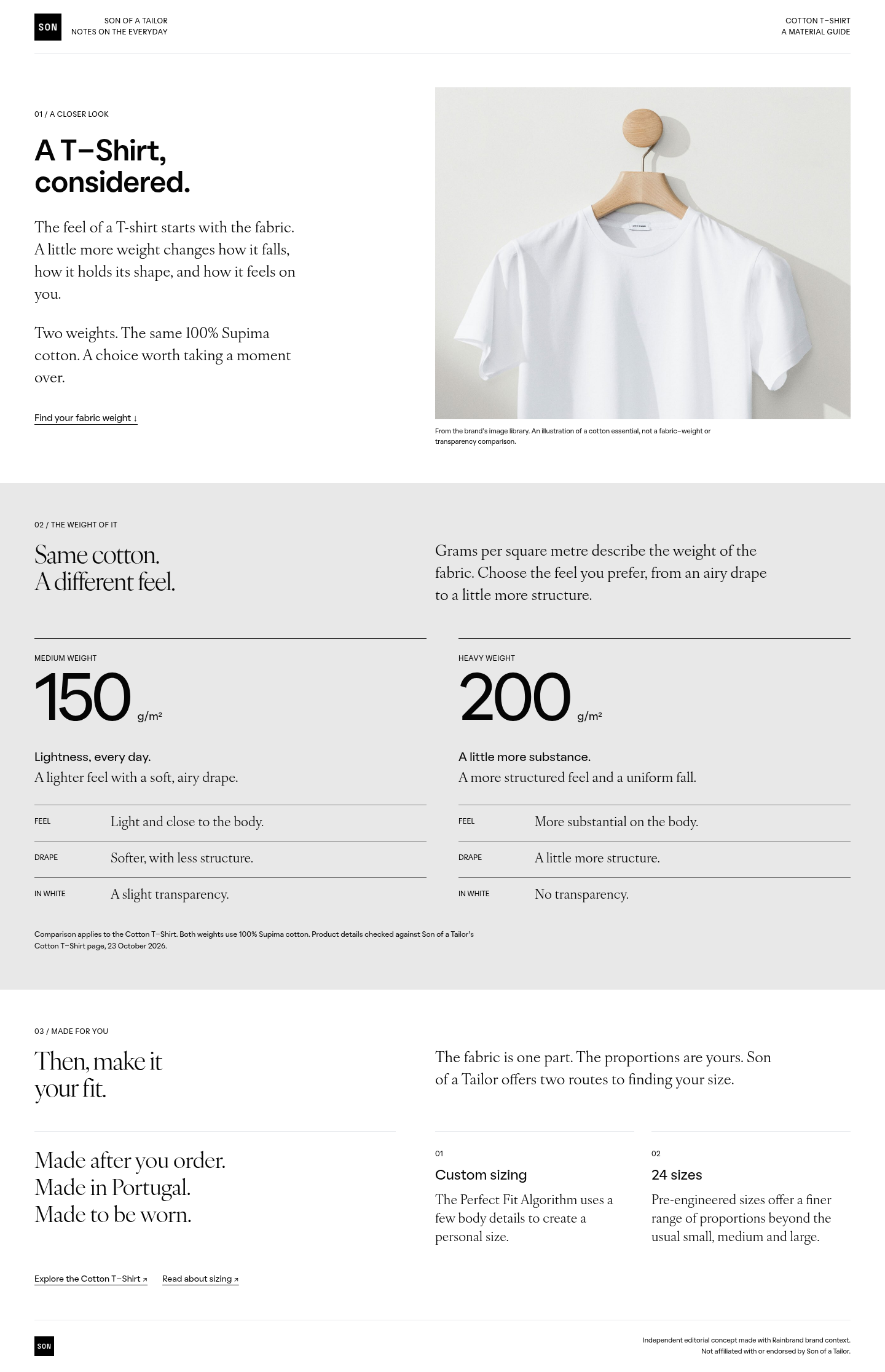
Cotton-weight guide for a prospective buyer
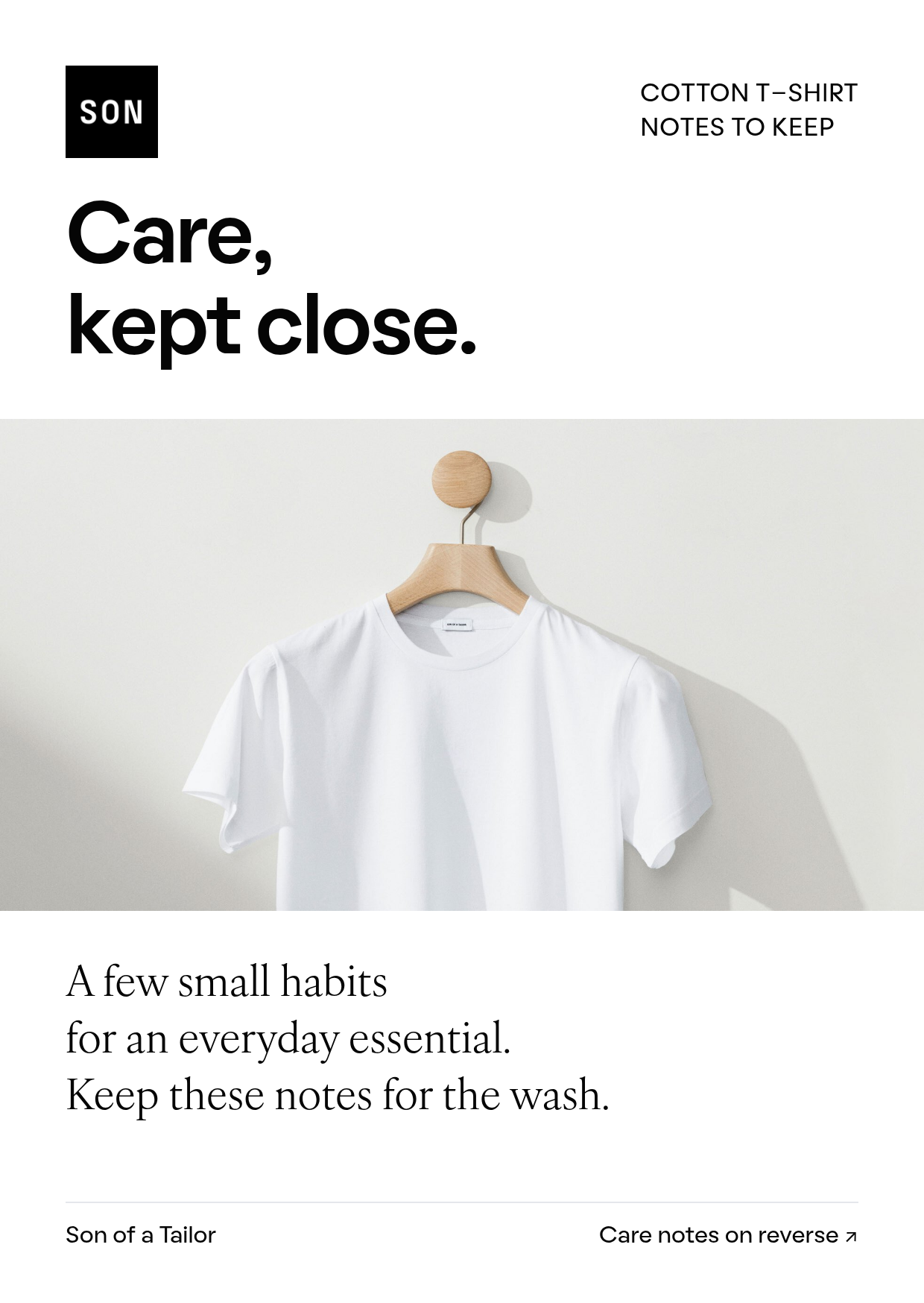
Care insert for someone who owns the T-shirt
Keep files together when a tool needs a snapshot
Some tools need downloaded files rather than a live connection. A Brand Skill contains the brand's identity, guidance and asset references as they were when that version was saved. Its exported folder includes the assets themselves.
Keep the entry file, reference documents and linked assets together so relative links work. For each installed copy, record:
- Which brand version it contains.
- Where it is installed.
- How you will replace it after a change.
Replace the folder after a brand change. Remove it if that workflow switches to direct retrieval.
Check a change across the connected workflows
When a brand update is needed:
- Prepare an edit. Inspect or refine it before the authorised caller applies it.
- Request a fresh Brief in each affected workflow and check the changed rule.
- Make and inspect the next output. Record each assistant's result separately.
If the guidance is old, check that the assistant selected the right brand, requested a fresh Brief and replaced its saved copy. If the guidance is current but the output uses an old logo, check the files passed to the creation tool.
Updating the brand does not change completed Briefs, downloaded folders or another assistant's saved settings. The guide to updating AI tools covers replacing those remaining copies.
Use the same reference inside your own product
An embedded assistant's application identifies the customer's brand, retrieves context and passes it to every creation step. Keep the Brand ID and returned version with each output. The embedded-product guide covers the integration; runtime retrieval covers caching and failures.
For your team, start with two workflows: connect them to the same brand, remove old guidance and inspect what each task receives. Record any retained exports in the inventory.
Frequently asked questions
How do I give AI agents our brand context and guidelines?
Connect every agent to one maintained copy of the brand and tell it to fetch the guidance and files for each task before it makes anything. Agents that support MCP connect directly; your own product uses the API. That way ChatGPT, Claude, Cursor and your own agents all work from the current version, and a change reaches them without anyone pasting it in again. Give a tool that can't connect an exported copy, and record its version so you know when to replace it.
Can ChatGPT, Claude and Cursor share one set of brand guidelines?
Yes, when each one reads from the same source during the task. A guide uploaded to a ChatGPT project, a Claude project and a Cursor rules file is three copies: each keeps the version it was given until someone replaces it, and they drift apart at the first change. The inventory above records which workflow uses which source.
What should we do with the brand notes already saved in each tool?
Replace them with the short retrieval instruction, then delete the old summary so it can't contradict what the agent fetches. Check personal instructions and saved memory too: a colour or product name remembered from an earlier conversation can still turn up in drafts after the brand changes.
More in AI tools
All 8 AI tools articles4 min read
How to give Claude Code and Cursor your brand, not just your design system
Coding agents read your design system and instruction files, but a landing page also needs your voice, product claims, imagery and logo rules. Keep code conventions in the repo, fetch the current brand for each task, and check the page before it merges.
3 min read
How to use ChatGPT for marketing and stay on brand
Use ChatGPT to research, draft, analyse and make campaign assets from real sources. Keep projects for campaign work, fetch current brand context through a connection, and check the deliverables before publication.
3 min read
How to use Claude for marketing without losing your brand
Give Claude a real marketing job, the sources behind it and current brand guidance. Use Projects, skills and connectors for their different jobs, then inspect the finished assets before they go out.