Rainbrand · create_briefReady
- Brand
- Teenage Engineering
- Task
- A six-slide presentation introducing the field system
- Returns
- Guidance and selected assets
1 Brief
Use casesSlides
Give your agent the story and the audience. Rainbrand supplies the brand guidance and assets to turn them into a presentation.
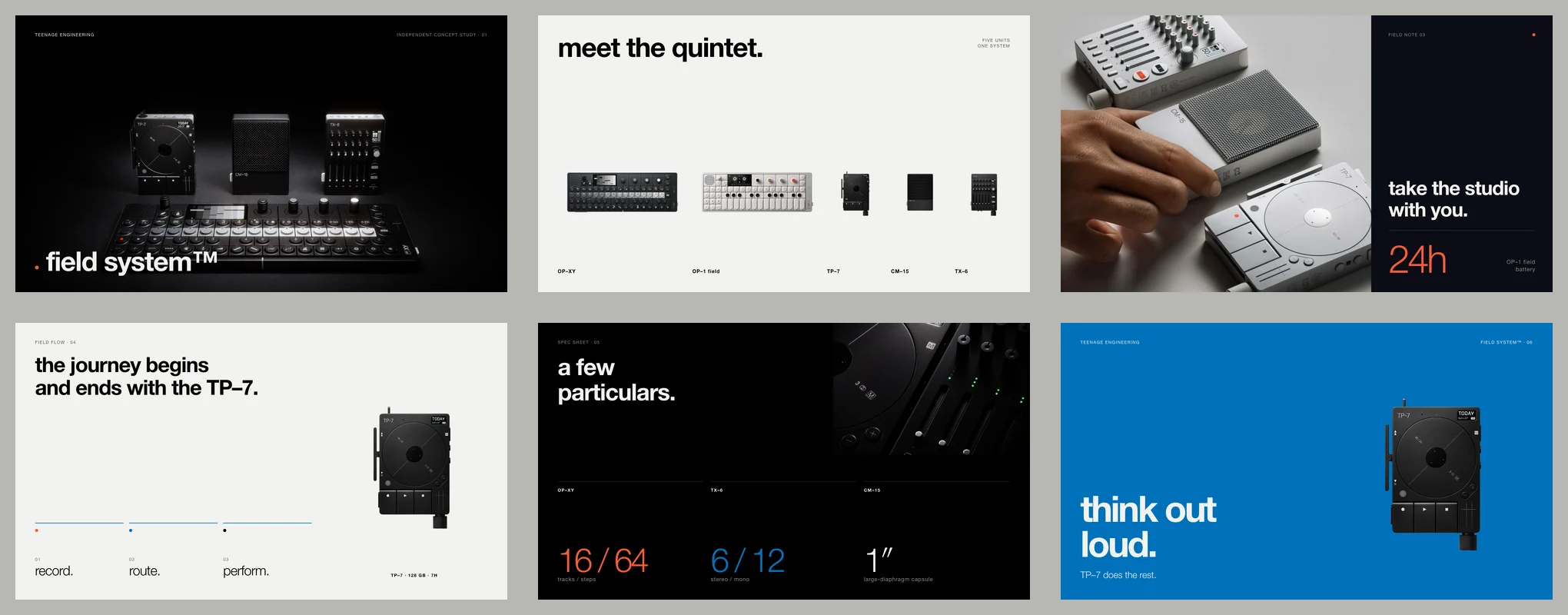
An agent can lay out a deck, but without the brand it guesses at the fonts, colours, imagery and how the slides should read. Rainbrand gives it a Brief with the guidance and assets for the presentation, so the story and design start from the same brand.
How it's made
With your agent
Rainbrand supplies the guidance and assets. Your agent plans the story, lays out the slides in a presentation editor or in code, then reviews and exports the deck.
Read the guide (opens in a new tab)Create a six-slide presentation for Teenage Engineering introducing the field system. Use 16:9 slides.
I'll plan the story first, then apply the brand's typography and imagery across the deck. I'll return a PDF and slide images, with an editable source where the tools support it.
The guide includes the full prompt and three downloadable example decks.
Example decks
Explore the decks and download the PDFs.

A presentation built around olive oil, food and Graza's illustrated characters.
Download the deck
A presentation using rabbit's orange palette, product imagery and typography.
Download the deckHow companies integrate Rainbrand into their agents and products.
All customer stories“We use Rainbrand to fetch each customer’s brand and generate accurate, on-brand creative for their ads. It means we don’t have to reinvent that part of the stack ourselves.”
“We pushed Rainbrand to production as our default image solution.”
“I have the ideas, but turning them into great design was always a struggle. Rainbrand makes me feel like the best designer in the world, and I don’t think I’ll need to hire one for the small stuff again.”
Connect Rainbrand to your agent, add a brand and describe the presentation.
Open the Rainbrand plugin and add it.
Open Rainbrand plugin (opens in a new tab)Connect your Rainbrand account when asked. It works in ChatGPT and in Codex.
No. Use a presentation editor connected to your agent, or a coding agent that can build and render HTML slides. Rainbrand supplies the brand guidance and assets for either approach.
Ask for an editable source alongside the exported deck. The available format depends on the tools your agent uses.
Use the Brief's visual direction to create suitable imagery with your own tools or Rainbrand's AI Gateway, then bring it into the deck.

Rainbrand builds and maintains shared brand context for your agents and products.