(Brand guidelines) // Toys and games
PlayStation brand
guidelines
PlayStation’s logo, colors, fonts, voice, and dos and don’ts, from the Brand Skill Rainbrand built from playstation.com.
Download the Brand Skill
- Logo blue#0070D1
- Near-black#121314
- White#FFFFFF
- Website orange#D53B00
About PlayStation
PlayStation is Sony Interactive Entertainment’s gaming ecosystem of consoles, games, accessories, and services. Its creative world centers on immersive play, discovery, and connection among players.
PlayStation logo
- IconDownloadSVG of PlayStation iconPNG of PlayStation icon
Use PlayStation’s standalone symbol as the default brand mark. Keep the mark intact and clearly legible; don’t redraw, distort, or treat interface icons, product photography, or decorative backdrops as substitutes for it.
The PlayStation VR2 logo is a product-family mark for work specifically about PS VR2.
PlayStation colors
Logo blue
Blue in the PlayStation symbol shown
HEXRGBNear-black
Dark website ground
HEXRGBWhite
Contrast
HEXRGBWebsite orange
Primary digital actions
HEXRGB
PlayStation fonts
SST
Heading · 300, Body · 300
Font names only. The Brand Skill download doesn’t include font files.
PlayStation’s voice
PlayStation’s voice is energetic, vivid, and centered on what play feels like. Lead with the player experience, then make the benefit tangible through sensory detail, confident verbs, and direct invitations to explore.
The writing balances expansive possibilities with concrete features: “Feel incredible gaming possibilities that go beyond the extraordinary” and “Put yourself at the heart of the game with responsive controls, 360-degree audio, and intricate graphical detail.”
For product and technology copy, connect technical capabilities to emotional outcomes: “From tiny details to wide-open vistas” and “your surroundings come alive with Tempest 3D AudioTech.” For community and accessibility language, stay welcoming and player-focused: “the power of play is borderless.”
- “Feel incredible gaming possibilities that go beyond the extraordinary”
- “From tiny details to wide-open vistas”
- “your surroundings come alive with Tempest 3D AudioTech”
- “the power of play is borderless”
Dos and don’ts
Do
- Do make play feel immediate and vivid; describe the experience as well as the feature.
- Do use concise, active language that invites players to explore, discover, and connect.
- Do represent a broad range of players and make accessibility and inclusion part of the experience.
- Do use the PlayStation symbol as the default identity mark and keep product-family marks relevant to their own product contexts.
- Do use Website orange for primary actions and blue for secondary actions, and maintain high-contrast text on dark surfaces.
Don’t
- Don’t make technical specifications the whole story; connect them to how play looks, sounds, or feels.
- Don’t use generic, impersonal language where a direct player benefit can make the message more engaging.
- Don’t present accessibility as an afterthought; PlayStation frames it as a way to make play work for players of all abilities.
- Don’t distort the PlayStation mark or use a product mark outside its relevant product context.
PlayStation imagery
55 images from playstation.com, in 5 files of the Brand Skill. Each file starts with its guidance, then shows the images it refers to.
PlayStation marketing imagery
3 imagesThese share images are useful references for PlayStation’s own product and company communications.

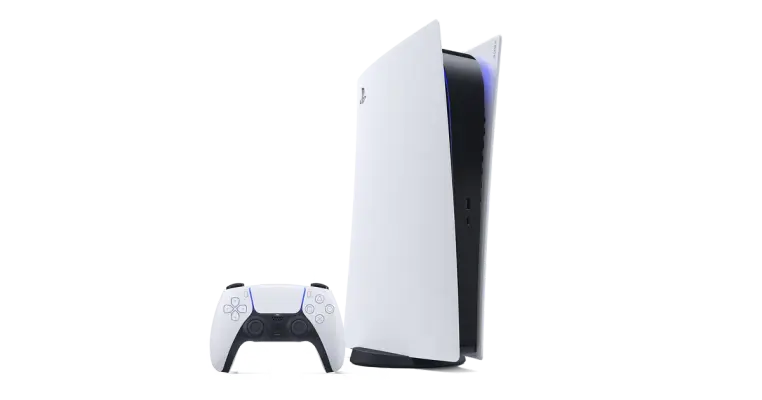

Brand marks and backdrops
5 imagesUse these standalone PlayStation marks as identity references. The companion backdrops are atmospheric brand imagery, not logos; use them as visual backgrounds rather than as substitutes for the mark.





Game discovery imagery
8 imagesThese game tiles appear within PlayStation’s PS VR2 game-discovery experience. Use them as contextual references for presenting a range of playable worlds and genres.








PlayStation Plus imagery
13 imagesUse these service icons and promotional images as references for PlayStation Plus benefit communication and membership experiences.













PlayStation VR2 imagery
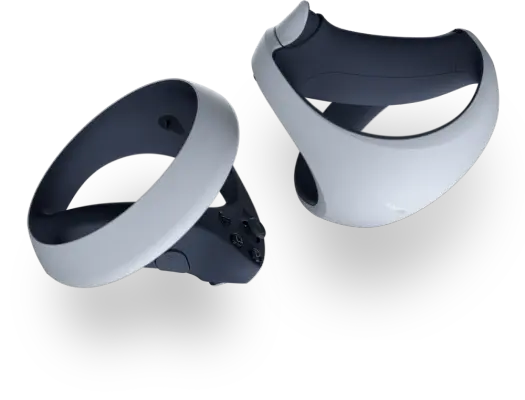
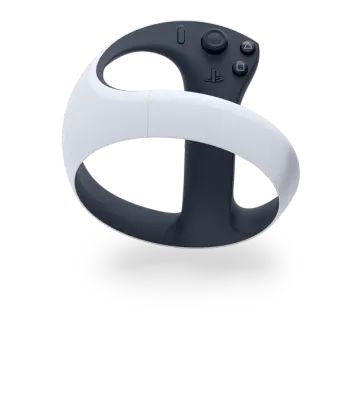
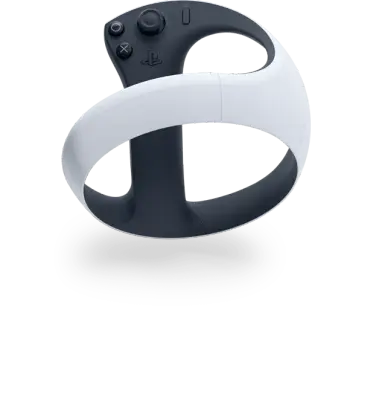
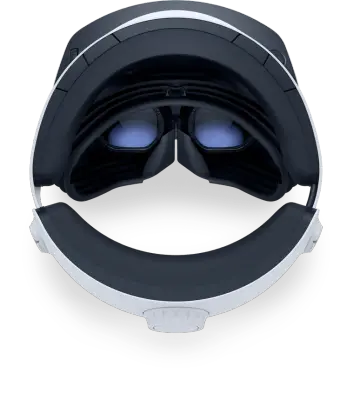
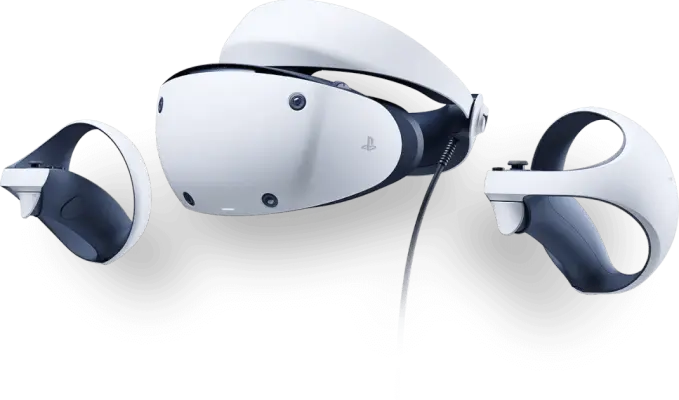
26 imagesThese product and experience images support PS VR2 storytelling across hardware, immersive technology, and game discovery. Keep the product itself recognizable and let experiential imagery communicate the sense of immersion.





















More from the Brand Skill
Website components
The PlayStation website uses a dark interface with bright, rounded calls to action. Primary buttons use the Orange accent; secondary buttons use Blue. Buttons have a pill-like silhouette, bold text, and generous touch-friendly height. Keep links visually distinct and underlined.
Cards sit close to the dark background, use modest corner rounding, and rely on imagery and spacing rather than prominent borders. A restrained shadow can give a card separation where needed.
Use spacious vertical rhythm to separate large content sections, with a clear heading hierarchy and compact body copy.
Accessibility
Design for a gaming experience without barriers. PlayStation’s accessibility framing is practical and player-led: give people options to adapt controls, display, sound, communication, and play setup to their needs.
Use inclusive language that respects different abilities and preferences. Describe customizable features as choices that support more comfortable play, not as a single prescribed way to play.
Download PlayStation’s Brand Skill
A Brand Skill is a folder of brand guidance written for agents. Give it to Claude, ChatGPT, Cursor or another agent and ask it to follow PlayStation’s guidelines. It starts at SKILL.md, which points to the right file for each task.
It has the guidance, 67 images and the logos. The font files belong to Sony Interactive Entertainment Inc, so they’re left out.
playstation-brand-skill/
├ SKILL.md
├ README.md
├ references/
│ ├ dos-and-donts.md
│ ├ colors.md
│ ├ logo.md
│ ├ typography.md
│ ├ voice.md
│ ├ imagery-marketing.md
│ ├ imagery-brand.md
│ ├ website-components.md
│ ├ accessibility.md
│ ├ imagery-game-discovery.md
│ ├ imagery-playstation-plus.md
│ └ imagery-ps-vr2.md
└ assets/
├ images/
└ logos/
Rainbrand’s Brand Agent built this Brand Skill from playstation.com on 3 Nov 2026. It isn’t PlayStation’s official guide. Reviewed by Siddharth Borderwala, Founding Engineer at Rainbrand.
PlayStation and its logos are trademarks of Sony Interactive Entertainment Inc. Rainbrand isn’t affiliated with or endorsed by Sony Interactive Entertainment Inc.

Make one for
your brand.
Add Rainbrand to your agent and give it your website, brand guide or files. Rainbrand builds a Brand Skill like this one and keeps it up to date.

Open the Rainbrand plugin and add it.
Open Rainbrand plugin (opens in a new tab)Connect your Rainbrand account when asked. It works in ChatGPT and in Codex.
More brand guidelines
See all brands Hot Wheels brand guidelinesToys and games
 LEGO brand guidelinesToys and games
 MapleStory brand guidelinesToys and games

Rainbrand builds and maintains shared brand context for your agents and products.