
Brand guidelines vs brand context: what does an AI agent need?
Brand guidelines explain the whole brand to people. Brand context is the part of it an agent receives for one task, in the form that task uses. Here’s how one brand becomes different contexts for different tasks, why more context isn’t better, and how to keep it current.
TL;DR
Brand guidelines explain the whole brand to people. Brand context is what an agent gets for one task: the rules, exact values, files and approved examples that task needs, with the task’s own details kept apart. Agents need the second. Keep your guidelines as a source, maintain the brand in Rainbrand, and give each task the guidance and files it needs from the current version.
What each one is
Brand guidelines are written for people: designers, writers, agencies and printers who find the pages that apply and ask someone when the guide is silent.
Context is everything in front of a model while it works; Anthropic calls it “the set of tokens included when sampling from a large-language model”. Brand context is your brand’s share of that, and beyond its training, which for most brands is thin or out of date, it’s all the agent knows. It has two levels: the maintained brand, and the part one task receives, which is what the model reads.
| Brand guidelines | Brand context for a task | |
|---|---|---|
| Written for | People | An agent doing one task |
| Covers | The whole brand | What this task needs |
| Form | Prose and pictures, often a PDF | Rules, exact values, files, examples |
| Where it’s silent | The reader uses judgment | It names the gap |
| When it’s rewritten | At the next edition | For every task, from the current brand |
Brandfetch’s Brand Context API uses the same term for a public profile of any company; Rainbrand vs Brandfetch compares that job with this one.
One brand, two contexts
Extropic builds hardware for thermodynamic computing. Claude, connected to Rainbrand, which keeps a brand for agents to call, made it a browser-based circuit sampler, a 20-second film about its Z1 chip and a Z1 datasheet. It started with two Briefs, the brand’s guidance and files selected for each task, and each got a different part of the brand:
| From Extropic’s brand | Circuit sampler (web page) | Z1 film and datasheet |
|---|---|---|
| Colours | Hex values for the dark ground, text, gold and borders | The same values |
| Type and logo | Three font files and the standalone mark | The same files and mark |
| Images | Three technical charts, as style references for live traces | Photos of Extropic hardware, with what each one does and doesn’t show |
| Claims | Say the samples come from a browser simulation, not a device | Use only the figures supplied with the task; add no benchmarks |
| Not covered | A responsive layout | A Z1 specification sheet |
The colours, fonts and logo match. The rest is about each job: the sampler’s context keeps a simulation from passing as hardware, and the film’s says which photo can stand for which product. These are the three pieces Claude made:
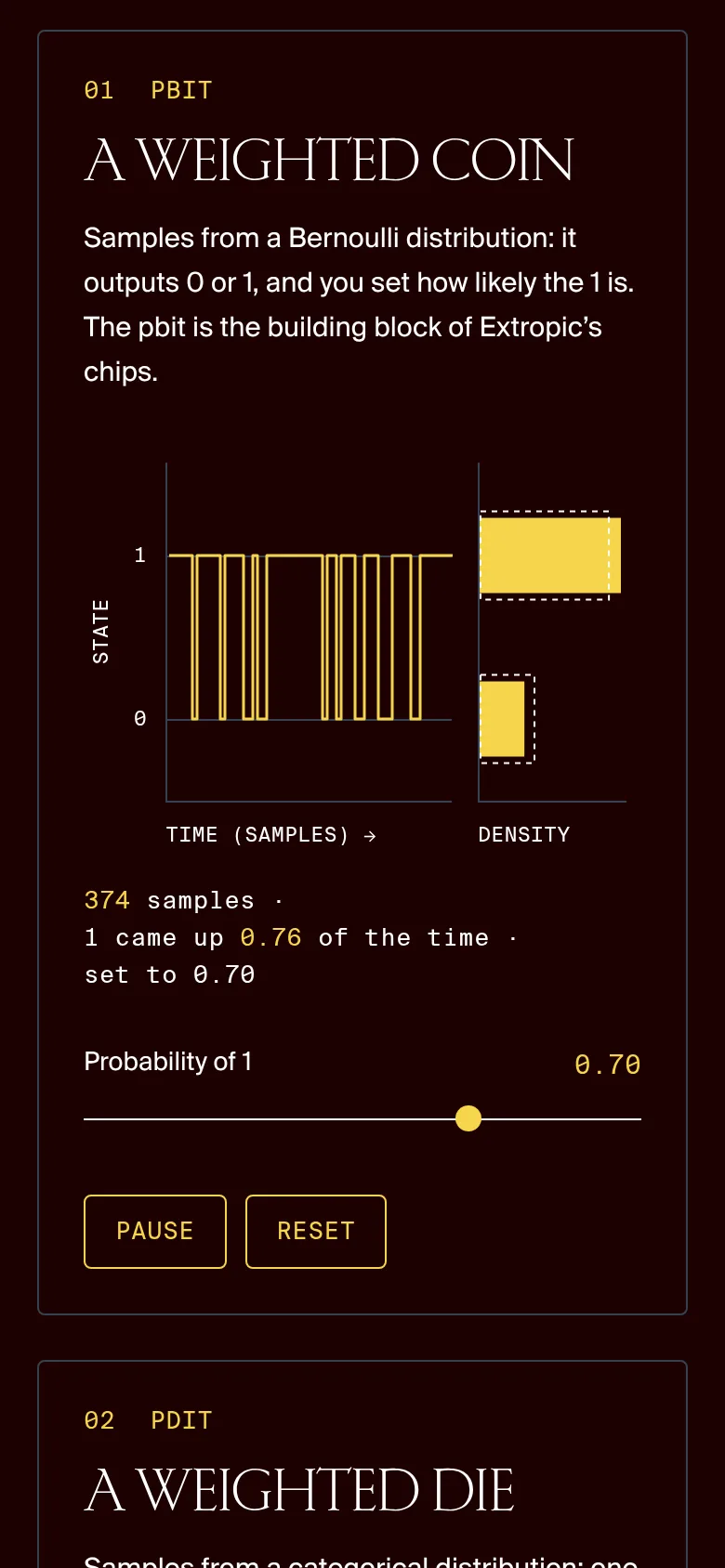
Circuit sampler
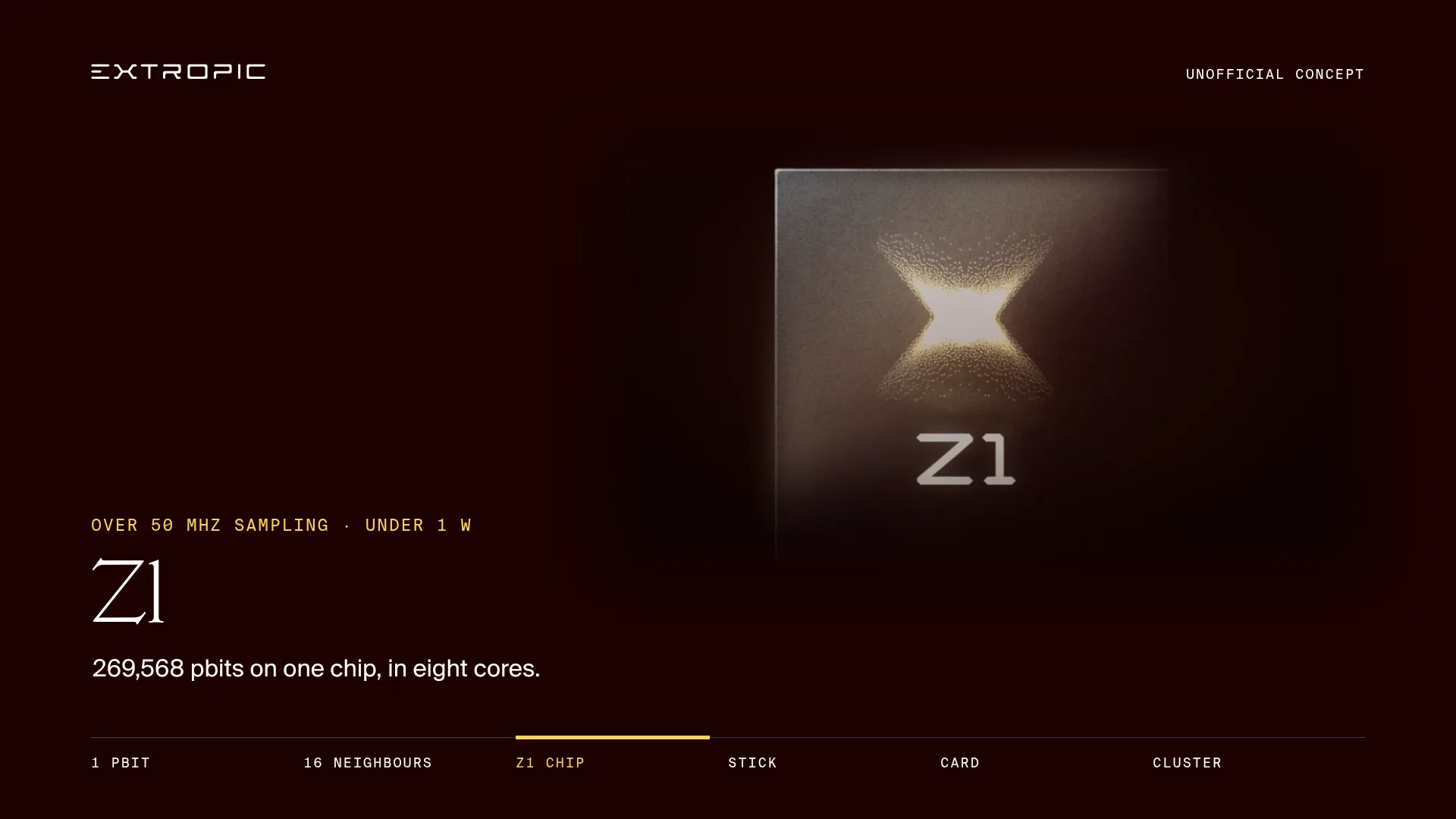
Z1 film
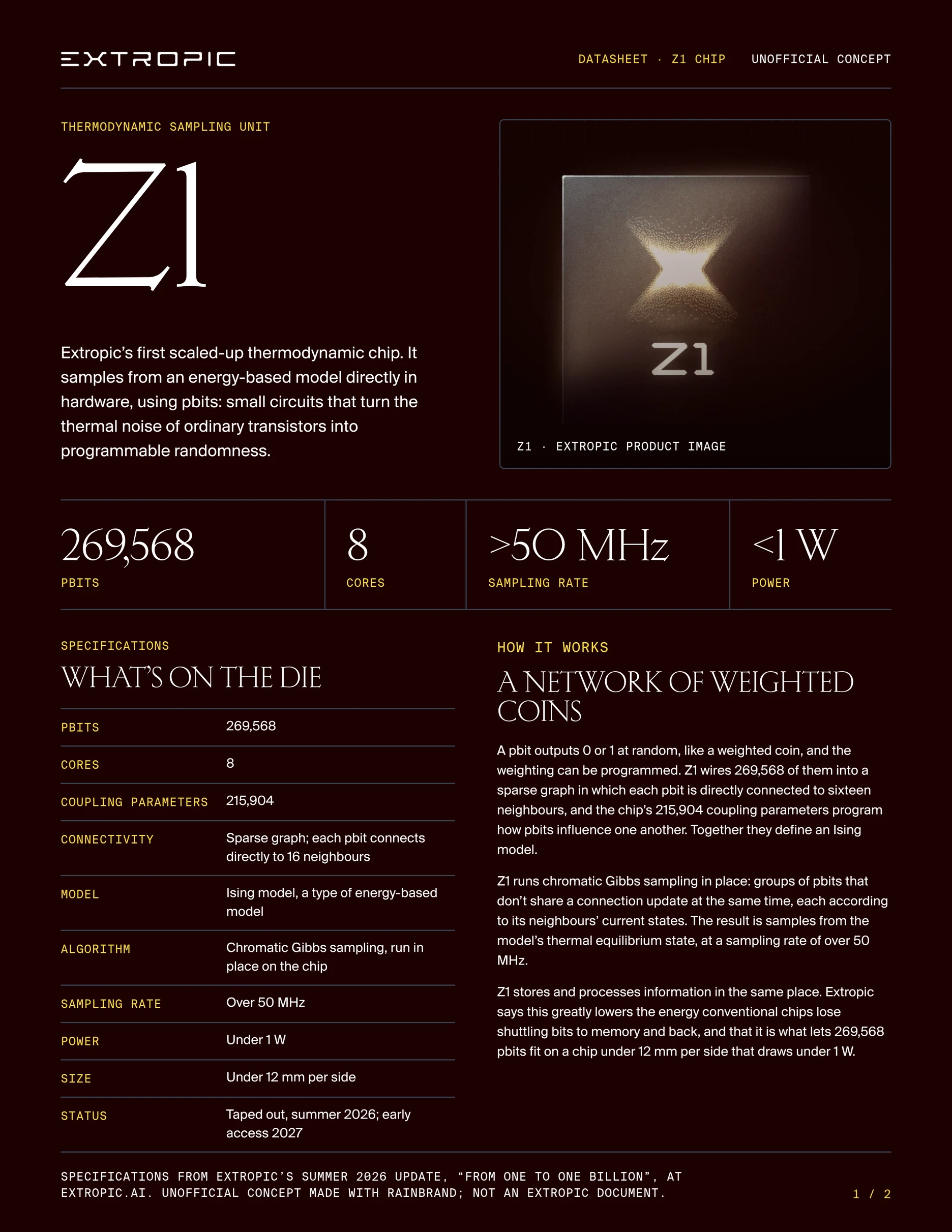
Z1 datasheet, page 1
Summarised, the film and datasheet’s Brief said:
- From the task
A short film and a datasheet about Z1, using only the figures in Extropic’s update.
- From the brand
Near-black red
#1C0101, white text and warm gold#F5D54Cfor emphasis. A voice that’s “ambitious but precise”, with claims tied to stated workloads, comparisons and assumptions.- Files
The standalone mark, three font files with a specimen of each, a photo of the Z1 chip, and a product photo that shows one chip, “not as evidence for the task’s two-chip count”.
- Not covered
No Z1 specification sheet and no photo confirmed as the exact hardware. Use a clearly labelled schematic rather than make a photo prove a specification.
What context adds
A good context also carries what guidelines rarely do:
- Files, not pictures of files. An image model needs the logo SVG, a layout the font file, and “warm, natural photography” is easier to follow as three approved photos.
- The task, labelled as the task, so a launch headline doesn’t become next week’s brand rule.
- Gaps, said out loud. Where the guide is silent, a model falls back on defaults or invents a rule; a named gap lets it ask instead.
- Decisions made since the PDF, such as a retired colour, from the day they’re decided.
How to keep AI-generated content on brand covers the form each output needs.
Why more context isn’t better
Loading the whole guide looks like the fix, but the model vendors’ own guidance points the other way:
- Anthropic advises finding “the smallest possible set of high-signal tokens”, since recall falls as context grows.
- Google’s long-context guide says Gemini finds one fact in a long input well, but with several specific facts “the model does not perform with the same accuracy.”
- OpenAI’s accuracy guide warns about “too much irrelevant context, which drowns out the real information”.
One post needs the logo, colour, photography rule, product name and headline right at once. With the whole guide loaded, those sit among print and past-campaign rules that conflict out of context, such as CMYK values beside screen hex codes. You also pay for the extra input on every request.
Smaller isn’t the goal either: Anthropic notes that “minimal does not necessarily mean short”. Give the task everything it needs, in the form it uses, with a few approved examples rather than the archive.
Building context for each task
Choosing those parts by hand works for one launch. When several people and agents make work every day, the chooser becomes the bottleneck, or each tool keeps its own selection and the copies drift. Rainbrand keeps the two levels apart:
- The brand is the identity, guidance and assets Rainbrand builds from your sources, updated when you edit it.
- A Brief is “the subset of your brand’s guidance and assets relevant to a specific task”. The Extropic contexts above are Briefs, shown in full on the example page.
Agents reach Rainbrand through MCP and code through the API; see when agents should fetch it and what a brand layer is.
Keeping it current
A task’s context is built fresh each time, so maintain the brand behind it:
- Keep one source. Copies in each tool drift; How to update brand guidelines across all your AI tools covers finding them.
- Record decisions when they’re made, and update the guide on its own schedule.
- Fix the brand, not the output. If a rule was missing or vague, fix it in the brand; if it was ignored, look at the prompt, the model or the check.
- Retire old logos, campaigns and products.
In Rainbrand, you describe a change and apply the update it prepares, and each Brief records the brand version it used, so you can tell an out-of-date context from a bad one. Agents can remove retired images from the Brand Library, the brand’s approved assets, and a Review checks the work.
Do you still need guidelines?
Yes: people still read them, and they’re a main source for brand context. Rules specific enough for an agent help people too:
- Write rules someone could check: exact values, named terms, minimum sizes.
- Keep the reason next to the rule; Anthropic’s prompting guide notes that explaining why can help Claude “deliver more targeted responses”.
- Say which outputs a rule applies to, such as print or social.
- Keep campaigns separate from the brand, and date them.
- Keep the real files alongside: SVG logos, font files, approved photos.
To convert a guide you have, see turning a brand PDF into AI instructions and the Markdown template.
Where to start
Pick one task your team repeats and list what it needs from your brand, as in the Extropic table. Then sign up, connect your agents, add your brand from your guide, site and files, and run the same task both ways:
Make this week’s Instagram post twice, with the headline I’ll give you: once from our brand guidelines PDF alone, once from a Rainbrand Brief. For each, list the rules, values and files you used, what you had to guess and what went wrong. Then tell me which gave you what the task needed.Compare both with your list. Anything the Brief leaves out or marks as not covered is the next thing to add to the brand, unless it only applies to this task.
More in Brand guidelines
All 7 Brand guidelines articles4 min read
How to turn a brand PDF into instructions AI can use
Turn a brand PDF into explicit rules, exact values and usable asset files. Inventory the guide, resolve conflicting instructions, and keep the result current across agents.
4 min read
How to turn your website into brand guidelines AI can use
Use your website as evidence for brand guidelines. Learn what to extract, how to resolve gaps and conflicting choices, and how to keep agents current.
7 min read
Which brand guideline formats can AI tools actually use?
AI tools can open a PDF, a deck, a web page or a Markdown file, but each format keeps different parts of a brand intact. Compare PDFs, portals, Markdown, BRAND.md, Agent Skills, DESIGN.md and design tokens by what they carry, how agents read them and where they break.
