(Example) Claude 4 outputs
Claude with Rainbrand for Yumbun (opens in a new tab).
The test
We asked Claude to make something useful for Yumbun. It chose to explain the Japanese characters on its bun menu and wrote the prompt below.
The setup
Claude could use the Rainbrand MCP (opens in a new tab), with Yumbun’s brand added from yumbun.com (opens in a new tab).
Prompt
Use Rainbrand and Yumbun’s brand to make something useful for its food-hall counters: decode the kanji names on its bao menu. Make a photo of the aubergine bao (its brand library has none), a 20-second counter-screen menu loop, an A3 tray liner and the phone menu the liner’s QR code opens. Use the real menu.
 (opens yumbun.com in a new tab)
How Claude made it
From Yumbun’s brand to four pieces for its counters, each reviewed twice.
- Brand
- Brief
- Outputs
- Review
Rainbrand turns a brand’s identity, guidance and files into shared context that agents can use.
Yumbun’s brand was added from yumbun.com (opens in a new tab).
A Brief is focused brand guidance and files for one task.
Claude requested one for the photo and one for the counter pieces.
Outputs
View more examplesYumbun sells filled steamed buns at two London food markets, and its menu names each one in Japanese characters. These four pieces explain them.
The menu comes from yumbun.com (opens in a new tab); the readings, meanings and jokes are Claude’s.
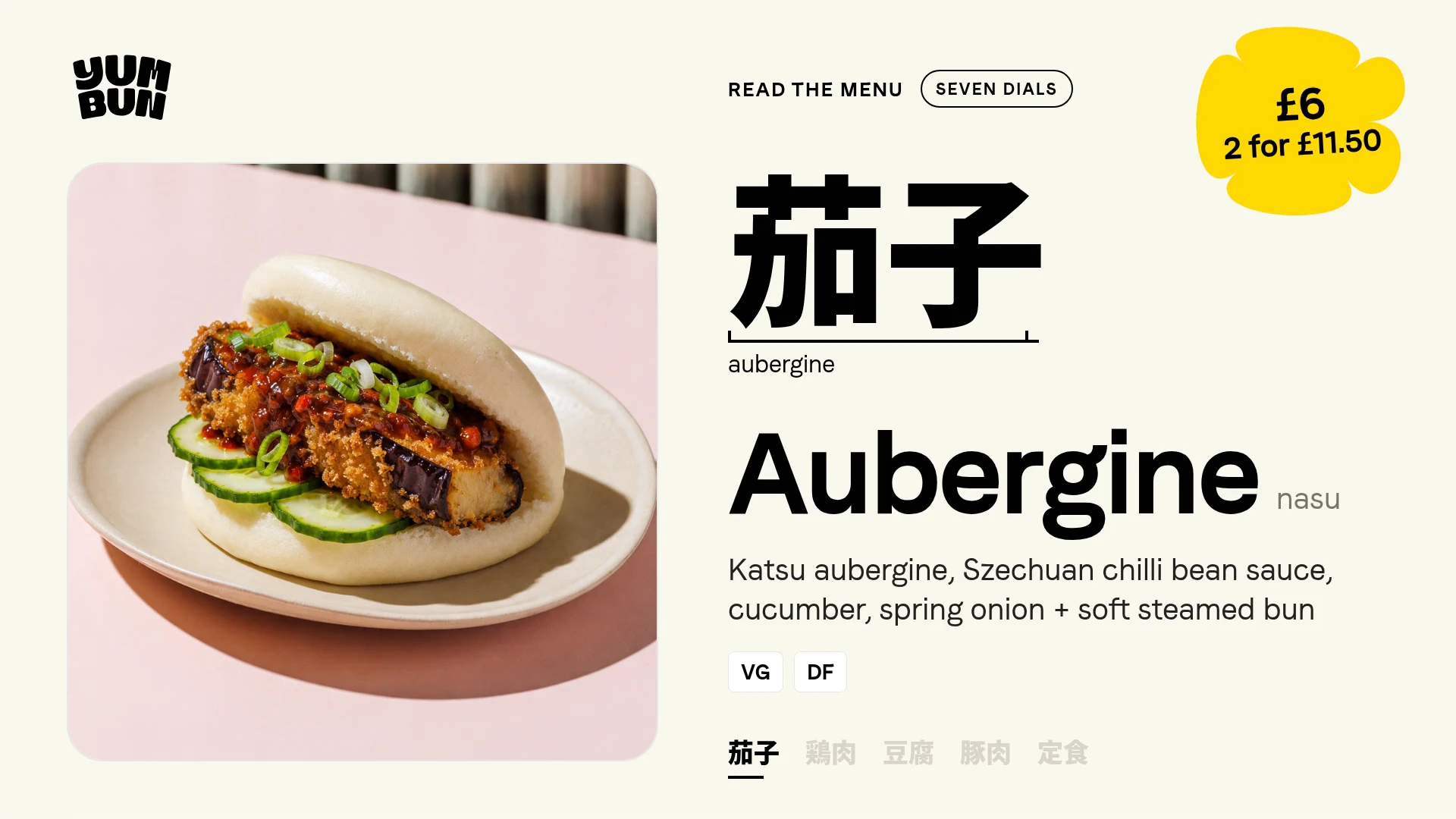
 Aubergine bao photo AI GatewayA new aubergine bun photo, made to match Yumbun’s existing menu photography.
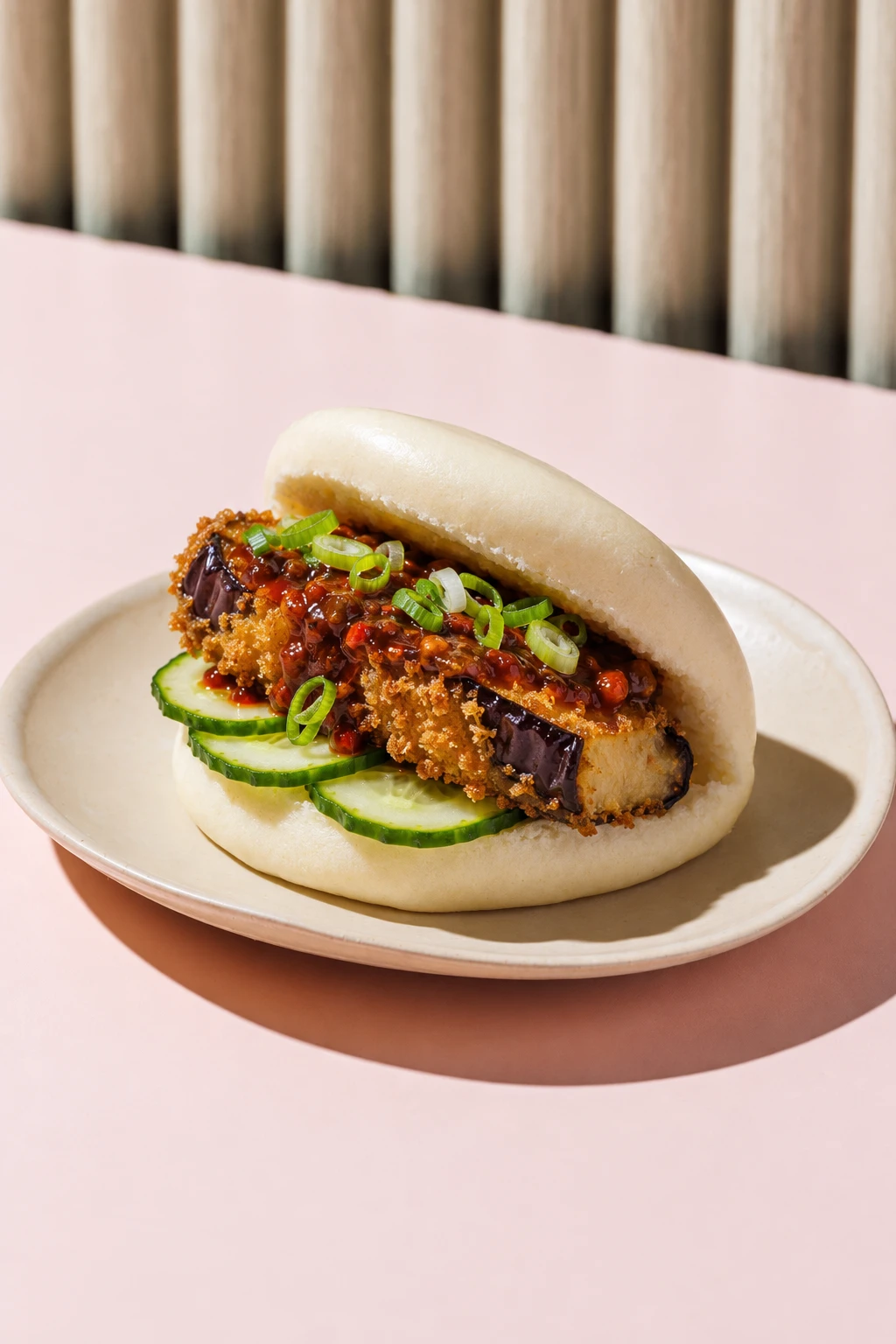
 Overhead menu videoA looping menu video for Yumbun’s stall at London’s Seven Dials Market.
 Printed tray menuA paper menu for food trays, explaining each bun’s name and fillings.
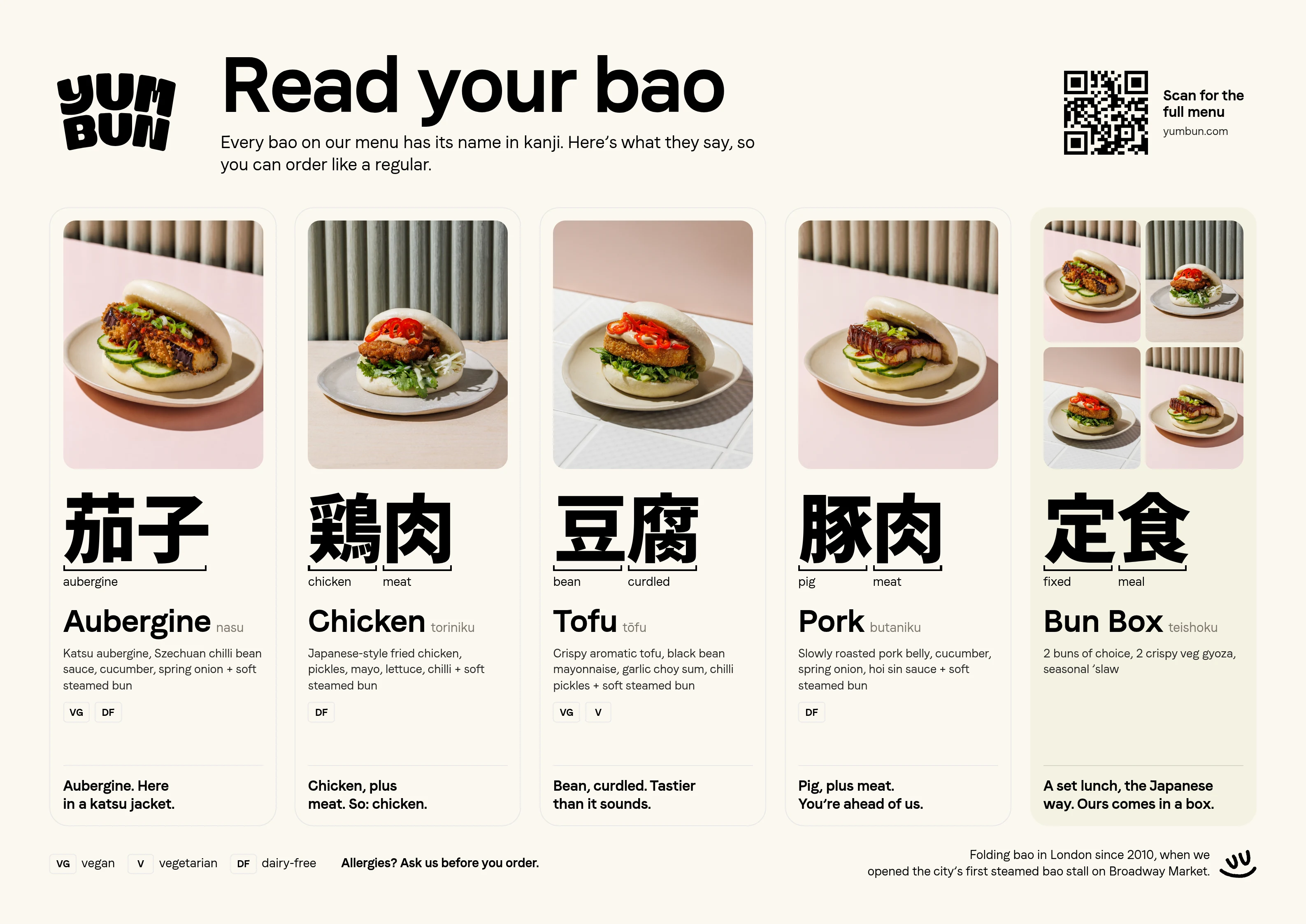 (opens full size in a new tab)
Its QR code opens yumbun.com (opens in a new tab) for now.
 Interactive phone menuA mobile menu where Japanese characters reveal each bun’s fillings and price.
The photo was made with Rainbrand’s AI Gateway: state-of-the-art image and video models. You can also use your own generation tools instead.
Read the docs (opens in a new tab)A Rainbrand Review checks an asset against the brand.
When a check failed, Claude fixed the asset and asked for another Review.
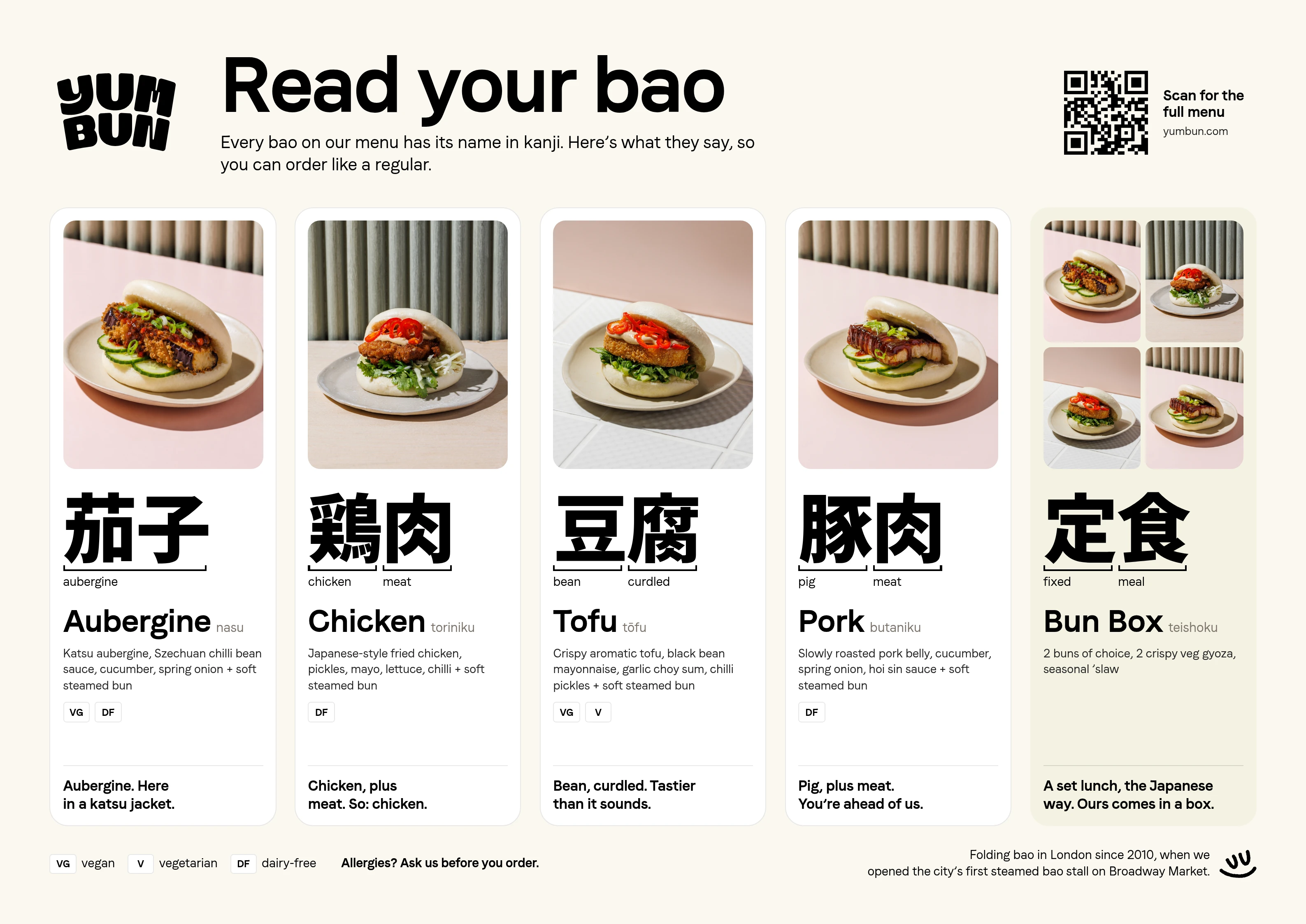
- Menu cardsObserved
#FFFFFFNot in Yumbun’s paletteDoesn’t match
Review comment
“The canvas and Bun Box card match brand palette tones, but the four menu cards use an unapproved stark white, as requested.”
Review flagged white cards; Claude switched them to the brand cream.
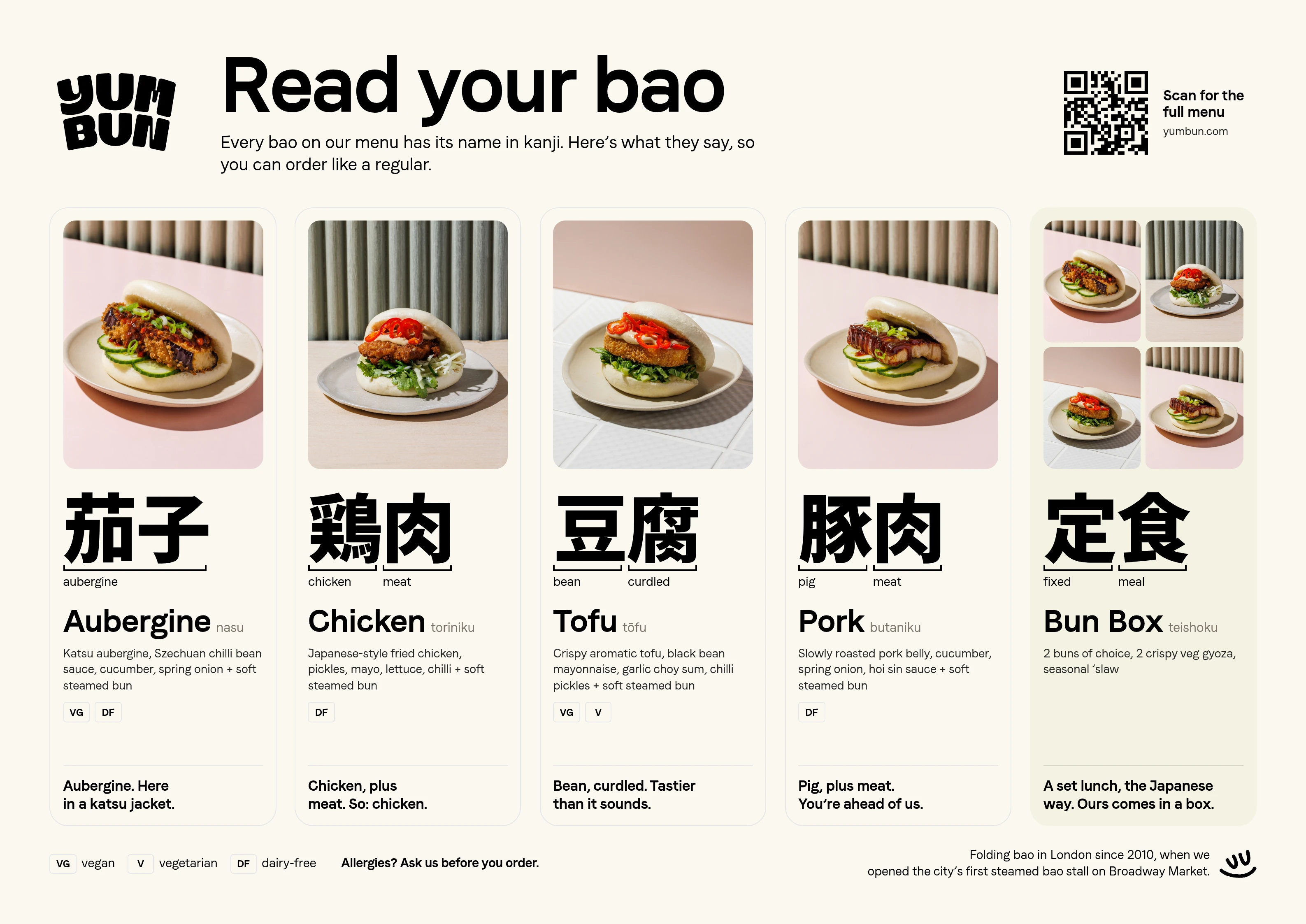
- Menu cardsObserved
#FBF8EFApproved#FAF8EFMatches
Review comment
“The cream backgrounds and black typography match approved brand palette colors throughout the tray liner.”
 Menu video PassA still from Yumbun’s overhead menu.

Remove the backgrounds and colour


Line up and overlap
 Open the overlap image in a new tab.
- Matching parts
- Brand only
- Observed only
Review comment
“The primary YUM BUN logo appears unaltered and clearly legible in black against the cream background at top left.”
Review comment
“All menu items, Japanese readings, descriptions, tags, and pricing match the requested text accurately and fit the brand's food-forward voice.”
Review comment
“Aubergine heading, price, and button text match Faro Lucky Bold 700, while descriptions match Faro Lucky 400 body type.”
- BackgroundObserved
#F8F8ECApproved#FAF8EFMatches - TextObserved
#000000Approved#000000Matches
Review comment
“Canvas background matches the light-mode cream (#FAF8EF) and text/accents match black (#000000). The yellow flower is approved supplied artwork.”
 Tray menu PassA paper menu for food trays.
Remove the backgrounds and colour


Line up and overlap
 Open the overlap image in a new tab.
- Matching parts
- Brand only
- Observed only
Review comment
“The primary stacked YUM BUN logo and the smiling brand mark are clearly displayed, unaltered, and legible.”
Review comment
“All menu items, translations, jokes, and brand history copy match the request accurately and fit the playful brand voice.”
Review comment
“The headlines and body text correctly use the brand’s approved Faro Lucky typefaces in appropriate weights.”
- CanvasObserved
#FBF8EFApproved#FAF8EFMatches - Menu cardsObserved
#FBF8EFApproved#FAF8EFMatches - Bun Box cardObserved
#F3F1E2Approved#F3F2E2Matches - TextObserved
#000000Approved#000000Matches
Review comment
“The cream backgrounds and black typography match approved brand palette colors throughout the tray liner.”

Try it yourself.
Add Rainbrand to the agent you already use.
Read the docs
Open the Rainbrand plugin and add it.
Open Rainbrand plugin (opens in a new tab)Connect your Rainbrand account when asked. It works in ChatGPT and in Codex.
Rainbrand turns your Identity, Guidance and files into shared Context that agents and products can use.
